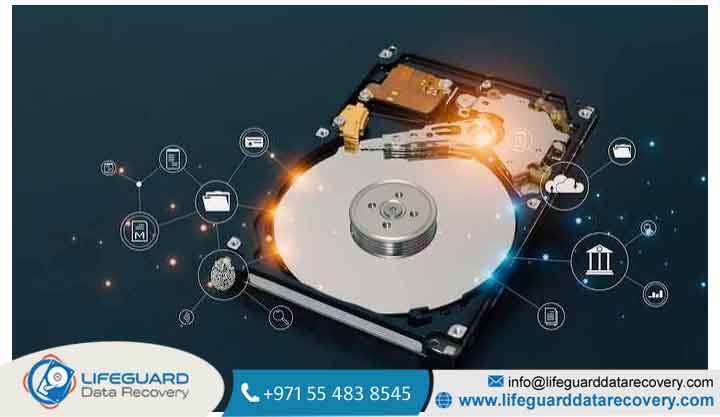
Connecting your hard drive to a computer only to face an error message, a freezing operating system, or total silence can be alarming. When a drive becomes unreadable, stored documents, irreplaceable photos, and critical work files feel instantly out of reach.
When investigating what causes a hard drive to become unreadable, it is crucial to recognize that storage drives fail for a wide variety of reasons ranging from simple software file system glitches to severe internal mechanical damage.
Understanding why is my hard drive unreadable requires diagnosing whether your drive is suffering from logical corruption or physical hardware damage. This guide breaks down the core hard drive unreadable causes, early warning signs, and safe troubleshooting steps to help you restore access to your data.
What Does an Unreadable Hard Drive Mean? (Physical vs. Logical Failure)
When an operating system flags an unreadable hard drive, it means the computer can no longer interpret the storage drive’s file structure or communicate with its underlying hardware controller.
If your hard drive is not readable, the root cause falls into one of two distinct categories:
Logical Damage: File System and Index Corruption
Logical damage occurs when the hard drive’s physical components are healthy, but the software organization system is corrupted. When the operating system cannot read the Master Boot Record (MBR), GUID Partition Table (GPT), or Master File Table (MFT), it treats the partition as unreadable or unformatted.
Physical Damage: Mechanical and Electronic Component Failure
Physical damage involves hardware degradation or trauma. Traditional Hard Disk Drives (HDDs) rely on magnetic platters spinning at high speeds (5,400 to 7,200+ RPM) while floating read/write heads hover nano meters above the surface. If these mechanical components collide or fail, the hard drive cannot be read.
Mechanical HDDs vs. Solid-State SSDs
-
Traditional HDDs: Vulnerable to mechanical shock, motor wear, and read/write head crashes. Physical failures often manifest through distinct clicking or grinding sounds.
-
Solid-State Drives (SSDs): Have no moving mechanical parts but fail due to flash controller panics, electrical overvoltage, or NAND flash wear-out. When an SSD becomes unreadable, it often enters a locked “read-only” state or stops being detected entirely.
The Top Causes of an Unreadable Hard Drive
Understanding specific hard drive reading error causes allows you to select the correct recovery path without risking permanent data loss.
File System Corruption and RAW Drive Status
This turns healthy NTFS, FAT32, or exFAT partitions into an unrecognized hard drive RAW file system.
Accumulation of Bad Sectors (I/O Device Errors)
Storage drives are divided into millions of individual storage sectors. Over time, magnetic degradation creates bad sectors that cannot hold data charges. When the operating system attempts to read a damaged sector, it triggers a hard drive I/O error (Input/Output error), causing system freezes and file transfer timeouts.
Power Surges and Overheating
A sudden electrical spike or faulty power supply unit (PSU) can burn out the Printed Circuit Board (PCB) mounted on the bottom of the hard drive. Without a functioning circuit board to manage electrical signals and drive
firmware, the hard drive is not detected by the computer’s BIOS or UEFI. Malware and Ransomware Infections
Malicious code can target partition tables, system boot sectors, and file allocation tables to compromise drive access. In severe cases, ransomware encrypts underlying file system headers, making the entire partition appear corrupted or unreadable.
Critical Warning Signs Your Hard Drive Is Failing
Catching early warning indicators helps you copy critical files to a secondary location before total hardware failure occurs.
-
Unusual Mechanical Sounds: Clicking, repetitive sweep-and-retry sounds, or high-pitched grinding noises indicate severe read/write head assembly failure.
-
Frequent System Freezes During File Transfers: If File Explorer stops responding whenever you attempt to open specific folders, the drive is likely encountering clusters of unreadable bad sectors.
-
Disappearing Files and Folders: Directory paths suddenly vanishing or turning into gibberish characters indicates severe index corruption.
Step-by-Step Troubleshooting: How to Fix and Recover an Unreadable Hard Drive
When attempting unreadable hard drive recovery, always prioritize data safety over repairing the physical drive.
Check Cables, Ports, and Alternative Computers:Rule out faulty peripheral connections first.
Disconnect your external drive and reconnect it using a known working USB cable. Plug the drive directly into a rear motherboard USB port rather than an unpowered USB hub, or test it on a second computer running a different OS.
Management or Disk Utility:Verify if the underlying hardware controller registers in the OS.
On Windows, open Disk Management . On macOS, open Disk Utility. Check whether your drive appears with its correct physical capacity, even if it lacks a drive letter or displays as “Unallocated” or “RAW”.
Check S.M.A.R.T. Drive Health Status:Assess physical health before attempting any software repairs.
Use a lightweight diagnostic utility to inspect your drive’s S.M.A.R.T. (Self-Monitoring, Analysis, and Reporting Technology) attributes. If the utility flags critical hardware reallocated sector warnings, refrain from running heavy repair utilities.
Run Logical File System Diagnostics:Attempt non-destructive logical fixes only on physically sound drives.
If S.M.A.R.T. status is clean and no clicking sounds are present, run native file system repair tools such as Windows or macOS Disk Utility First Aid to correct minor index errors.
Perform Data Recovery Software Scans:Extract accessible data to a secondary healthy storage drive.
Utilize non-destructive hard drive data recovery software to scan the logical sectors of the unreadable partition. Always recover extracted files onto a separate healthy hard drive or cloud storage location.
When to Stop DIY Fixes and Call a Professional Data Recovery Service
DIY software repairs are meant strictly for logical corruption on physically healthy storage devices.
If your drive emits clicking noises, was submerged in liquid, or suffered a heavy physical drop, attempting recover data from unreadable hard drive scenarios using DIY software will cause the damaged read/write heads to scrape across the spinning magnetic platters. This creates permanent platter damage, rendering data permanently unrecoverable.
In cases of physical trauma, seeking professional hard drive recovery services is mandatory. Specialized engineers work inside dust-free ISO-certified cleanroom environments to replace donor head assemblies and micro-solder fried circuit boards before extracting raw data directly from the platters.
Frequently Asked Questions (FAQs)
Can an unreadable hard drive be fixed without formatting?
Yes. If the issue is caused by missing drive letters, outdated device drivers, or minor file index errors, running file system repair tools or reassigning drive letters in Disk Management can restore readability without formatting.
Why does my external hard drive say it needs to be formatted before use?
This error message appears when the operating system can no longer read the partition file allocation table, triggering a “RAW file system” state. Avoid clicking format, as formatting wipes file index markers needed for easy recovery.
Is it safe to run on an unreadable hard drive?
is safe for minor software errors on physically healthy drives. However, if your drive is suffering from physical bad sectors or mechanical head failures, running forces the drive through intense read/write operations that can permanently damage the drive platters.