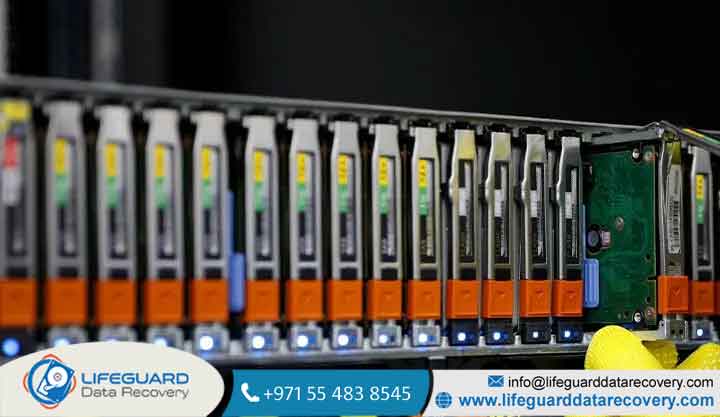
Redundant Array of Independent Disks (RAID) technology is the backbone of modern enterprise storage and Network-Attached Storage (NAS) units. By grouping multiple physical drives into a single logical unit, RAID offers a balance of enhanced performance and data redundancy.
However, RAID is not immune to total failure, nor is it a substitute for a true backup system.
When a RAID array crashes, drops offline, or enters an unrecoverable degraded state, it often catches system administrators off guard. Understanding what causes RAID failure from mechanical disk degradation to silent mathematical limits during rebuilds is crucial for preventing catastrophic data loss.
RAID Failure Reasons and Technical Trigger Points
Physical Hard Drive Failure & Bad Sectors
The most straightforward cause of array instability is mechanical or electrical breakdown within individual drives. Hard drives contain high-speed moving parts spindle motors, read/write heads, and actuators.
Over time, physical wear leads to head crashes or motor seizure. Additionally, magnetic platters develop bad sectors. While RAID redundancy tolerates isolated drive failures, an accumulation of uncorrectable bad blocks across multiple disks will cause a RAID drive failure that strips away fault tolerance.
RAID Controller Failure & Firmware Corruption
The RAID controller manages array geometry, parity calculations, and logical block mappings. Whether implemented as a PCIe expansion card (Hardware RAID) or integrated on a server motherboard, a hardware failure in the controller halts operations instantly. Issues include:
-
Voltage spikes destroying the controller’s processor or onboard RAM.
-
Corrupted RAID metadata in Non-Volatile RAM (NVRAM).
-
Faulty firmware updates causing the controller to misread configuration signatures (resulting in a “Foreign Configuration” or “Array Missing” error).
If the controller fails, the drives themselves may remain physically intact, but the data remains completely inaccessible until the array geometry is safely reconstructed.
Rebuild Failure During Degraded State (The RAID 5 Trap)
When a single drive dies in a RAID 5 array, the array continues running in a degraded state. Inserting a replacement drive triggers a RAID rebuild. During this process, the controller reads every single sector from all remaining drives to compute XOR parity and rewrite missing data to the new disk.
This sustained sequential read operation creates massive thermal and mechanical stress on aging drives. If a surviving disk contains a latent bad sector or hits an Unrecoverable Read Error (URE), the rebuild halts mid-process. This converts a single-drive failure into a double-drive failure, resulting in a complete RAID rebuild failure.
RAID Array Corruption & Logical File System Damage
Not all failures are mechanical. RAID corruption occurs at the logical level when the file system structure or partition tables are damaged. Causes include:
-
Abrupt operating system crashes during metadata write passes.
-
Malfunctioning software RAID drivers (e.g., Windows Storage Spaces or Linux ).
-
Virus or ransomware attacks altering partition headers.
In these scenarios, the physical hard drives report healthy S.M.A.R.T. statuses, but the host operating system marks the storage volume as RAW, unformatted, or unmountable.
Power Surges, Sudden Outages, & Dirty Shutdowns
A sudden interruption in power can severely disrupt enterprise storage servers. Modern controllers utilize write-caching to boost performance. If a power loss occurs while uncommitted data resides in cache, two main problems arise:
-
Unwritten Cache Data: Inflight file writes are permanently lost.
-
The “Write-Hole” Phenomenon: In parity-based arrays (RAID 5), power loss during a write cycle leaves data blocks written to one disk while corresponding parity blocks on another remain un-updated. Upon reboot, the array becomes desynchronized, leading to silent data corruption.
Thermal Throttling & Server Overheating
Hard drives and RAID controllers operate within strict thermal envelopes (typically under 45°C–50°C). Failed cooling fans, clogged dust filters, or poor server rack airflow cause internal temperatures to spike. Prolonged heat leads to:
-
Thermal expansion of platter surfaces, causing drive read/write head misalignment.
-
Controller processor overheating, triggering bus timeouts that drop healthy drives from the storage pool.
Operator & Human Error
Human interaction remains one of the leading common RAID failure reasons. Frequent administrative mistakes include:
-
Pulling the wrong (healthy) drive bay during an active drive degradation event.
-
Accidental array initialization or format through management software.
-
Executing force-online commands on out-of-sync member drives using controller CLI tools.
-
Swapping drive bay positions on older legacy controllers that rely on strict physical slot indexing.
Manufacturing Batch Failures & Identical Drive Wear
Organizations often purchase storage drives in bulk. Populating a server array with hard drives from the exact same manufacturing batch means every disk shares identical components, runtime hours, and MTBF (Mean Time Between Failures) ratings.
When one drive fails due to natural operational wear, the remaining disks are statistically very likely to fail shortly after frequently during the intense load of a rebuild pass.
Backplane & Enclosure Hardware Malfunctions
The storage subsystem consists of more than just drives and controllers. The SAS/SATA backplane, hot-swap drive caddies, power delivery rails, and signal cabling all represent potential single points of failure.
A faulty capacitor on a backplane or a loose SAS cable can intermittently sever connections to multiple drives simultaneously, causing the controller to mark healthy disks as dropped or missing.
Software RAID Bugs & SMR Drive Incompatibilities
Software-based array configurations (such as ZFS or hardware-assisted software RAID) depend heavily on host CPU and OS kernel stability. System kernel updates can introduce driver incompatibilities that disrupt array mounting.
Furthermore, mixing Shingled Magnetic Recording (SMR) drives with Conventional Magnetic Recording (CMR) drives in a RAID environment frequently leads to array collapse. Under heavy write workloads (like a rebuild), SMR drives stall while reorganizing internal overlap zones. The controller registers this multi-second response delay as a non-responsive drive and drops it from the array.
How RAID Level Architecture Impacts Failure Risk
Different RAID configurations handle drive degradation differently. Understanding your array’s specific fault tolerance helps evaluate your actual risk of data loss:
Warning Signs of an Impending RAID Drive Failure
Arrays rarely fail without prior warning. Recognizing early hardware distress signals allows administrators to intervene before catastrophic volume collapse occurs:
-
S.M.A.R.T. Attribute Spikes: Increasing counts of Reallocated Sector Count, Current Pending Sector Count, or Offline Uncorrectable Sectors.
-
Acoustic Anomalies: High-pitched whining (spindle motor strain) or rhythmic clicking sounds (read/write head thermal or mechanical hunting).
-
Storage Latency Slumps: Unexplained drops in read/write IOPS, applications hanging during disk access, or slow file directory listings.
-
Intermittent Enclosure Warnings: Controller logs showing repeated disk bus resets, drive status toggling between Online and Degraded, or silent dropping of drives.
What to Do When a RAID Array Fails: Immediate Action Plan
If your array experiences a multi-drive crash, controller failure, or aborts mid-rebuild, following an emergency triage protocol prevents permanent data destruction.
Step 1: Freeze Operations & Avoid Automatic Rebuilds
Immediately power down the server or NAS. Continued power delivery forces damaged drive heads to drag across magnetic platters, scoring the disks and destroying raw data.
Warning: Do NOT force missing drives online, re-initialize the storage pool, or run file system repair utilities like on a degraded or failed volume. These tools modify metadata and turn recoverable array structures into permanent data loss.
Step 2: Label Physical Drive Order & Document Symptoms
Before removing drives from the server enclosure or NAS bays, label every disk with its exact physical slot number (e.g., Bay 0, Bay 1, Bay 2). Document all error codes shown on the controller LED, iDRAC/iLO management console, or NAS web dashboard.
Step 3: Clone Individual Drives Sector-by-Sector
Never perform diagnostic or recovery operations directly on original physical drives. Connect surviving disks to a write-blocker and generate full sector-by-sector disk images using forensic tools (such as ). Reconstruction calculations should only be run against these clone files.
Step 4: Evaluate When to Seek Professional Recovery Experts
If member drives exhibit hardware issues (e.g., clicking noises, failure to spin up, or electrical shorts), software recovery utility attempts will fail. Turn off the equipment and consult certified RAID recovery experts who operate certified Class 100 cleanroom environments.
Best Practices to Prevent RAID Failures and Data Loss
Preventing downtime requires proactive infrastructure management and redundant architectural designs.
-
Implement the 3-2-1 Backup Strategy: Maintain 3 copies of your data on 2 different media types, with at least 1 copy stored securely off-site. Remember: RAID provides high availability, not data backup.
-
Avoid RAID 5 on High-Capacity Disks: For arrays utilizing modern enterprise drives larger than 4TB, deploy RAID 6 (dual parity) or RAID 10 (mirrored striping). This mitigates the risk of URE-induced crashes during long rebuild passes.
-
Stagger Hard Drive Purchases: Buy replacement or array drives from different vendors or separate production batches to prevent simultaneous drive degradation caused by shared manufacturing flaws.
-
Deploy Battery-Backed Controller Cache (BBU) / Uninterruptible Power Supply (UPS): Protect write caches from sudden dirty shutdowns using enterprise UPS hardware and controller-mounted battery backup units.
-
Schedule Automated S.M.A.R.T. Scans & Data Scrubbing: Configure monthly background parity scrubbing routines to identify and repair bad sectors before a drive fails completely.
Frequently Asked Questions
Can a RAID array fail completely if only one drive dies?
In single-fault tolerant arrays (like RAID 5 or RAID 1) or dual-fault tolerant arrays (like RAID 6), losing one drive will not destroy the volume. However, in RAID 0, losing a single drive causes complete volume failure because data is striped without any parity or mirroring.
Why did my second drive fail during a RAID rebuild?
Rebuilding an array requires sustained sequential reads across all surviving drives. This intensive operation causes thermal spikes and heavy mechanical stress. If remaining drives are the same age or contain latent bad sectors, this added operational stress often triggers a secondary mechanical failure or Unrecoverable Read Error (URE).
Can I replace a failed RAID controller with a different model?
Swapping controllers with a different model or brand is extremely risky. Hardware controllers write specific metadata headers (covering stripe size, disk order, and parity direction) onto the drives. A different controller model may fail to parse this metadata correctly, causing it to misread the array as uninitialized.
How do I recover data from a failed NAS RAID system?
When a Synology, QNAP, or custom NAS drops its storage pool, shut down the device immediately. Label drive positions, remove the disks, and connect them to a workstation running dedicated array reconstruction software.
This allows you to inspect partition tables and virtually reassemble the underlying Linux or LVM structures without writing dangerous changes back to the original disks.
Protecting Your Data Against RAID Failures
While RAID remains an indispensable technology for maintaining enterprise storage uptime and high operational performance, it is not indestructible. Understanding the risks from mechanical hardware failures and controller corruption to the stresses of rebuild operations allows system administrators to build more resilient infrastructures.