If you work on digital devices, losing data isn’t a matter of if, but when. In fact, big storage reports show that around 1.5% of hard drives fail every single year. That means millions of devices break down globally, all the time.
When your files disappear, knowing how to get them back makes a huge difference. Let’s break down how this whole saving process actually works in plain, simple English.
Understanding Data Recovery: What Does It Actually Mean?
To put it simply, data recovery is just a special way to find and bring back files that are lost, deleted, corrupted, or completely stuck inside a broken device. Whether your files are on a big company server, your personal laptop, or a small USB thumb drive, the goal is always the same: fix the broken path and copy out the data safely.
To really understand the data recovery meaning, you need to look past just clicking the “undelete” button. In the tech world, the official data recovery definition is usually split into two main problems depending on what happened to the hardware:
Logical Failures: The device itself is working perfectly, but a software glitch, a messed-up system, or an accidental deletion made the files completely invisible to you.
Physical Failures: The actual parts inside the drive are physically broken. Maybe it dropped on the floor or got fried by electricity. You will need to fix the hardware before anyone can read the files.
Data Recovery vs. Cyber Recovery: The Big Difference
Regular data recovery deals with daily accidents like dropping your external drive or accidentally formatting a memory card. But cyber recovery is a whole different ballgame. It is specially designed to fight back against hackers and digital crimes.
When a company gets hit by ransomware, the files aren’t just missing; bad guys have locked them up with a digital padlock. Cyber recovery doesn’t just try to unlock things on the infected computer. Instead
it uses ultra-secure, automated plans to completely rebuild the whole system from a clean, untouchable backup copy that the hackers couldn’t reach.
Why Is Data Recovery So Important for Everyone?
Data is the lifeblood of our lives today, whether for a big business or just a regular student. For companies, losing files means work completely stops, which leads to losing money and breaking strict privacy laws like GDPR or HIPAA.
For normal people, a dead drive could mean losing twenty years of family photos, important bank documents, or creative projects you worked on for months.
When you know how data saving works, you don’t have to panic. It turns a scary nightmare into a step-by-step problem you can actually solve.
The Main Reasons We Lose Our Data
Before you can fix a problem, you have to know what caused it. Most data loss happens because of three common reasons.
Accidental File Deletion and Human Error
Let’s face it, we all make mistakes. Maybe a programmer types a wrong command on a server, or you accidentally click “Delete All” on the wrong folder. Accidental file deletion happens in a blink of an eye.
Thankfully, when you delete a file, your computer doesn’t erase the actual data right away. It just hides it and tells the system, “Hey, this space is now empty, you can write new stuff here later.”
Hardware Failures and Physical Damage
Traditional hard disk drives (HDDs) are amazing pieces of engineering, but they are very fragile inside. They have tiny magnetic platters that spin super fast, and a little mechanical arm that reads the data just nanometers above them.
If you drop your drive while it’s running or if it gets an electrical shock, that little arm can crash right into the platter. This scratches away the shiny surface where your data lives, which is called a head crash.
Logical Errors, Corruption, and Malware
Logical damage is when the internal index or “map” of your drive gets scrambled. It’s like a book losing its table of contents; the pages are still there, but you don’t know where anything is. This usually happens if your computer suddenly loses power while saving a file
or if a nasty virus gets in. Ransomware takes this further by changing the actual files so you can’t open them unless you pay up.
Logical Data Recovery (Using Software)
If your drive isn’t making weird noises and turns on fine, but you just can’t see your files, we use software-centric types of data recovery. Technicians use special programs to scan every nook and cranny of the disk.
These tools can find lost file headers and stitch them back together by recognizing their unique digital signatures (like knowing a JPEG photo always starts with a specific set of hidden codes), even if the original folder names are long gone.
Physical Data Recovery (Lab Work)
If a drive has a burnt circuit board, a dead motor, or was dropped in water, software won’t help you at all. Physical recovery requires a highly clean environment, like an ISO 5 Cleanroom lab. This is a super clean room where dust can’t get in, because a single speck of dust landing on an open drive platter can completely ruin it.
Here, engineers do delicate surgery, like swapping a broken read head with a working one from an identical donor drive, or using micro-soldering to fix tiny broken circuits so the drive can power up one last time.
Instant Data Recovery for Businesses
For big operations, waiting days for a lab to fix a drive means losing thousands of dollars every hour. That’s why modern companies use instant data recovery systems. When a primary system goes down, their backup software immediately switches everything over to a virtual copy running in the cloud or on a backup server.
The workers can keep doing their jobs while the tech team fixes the broken hardware in the background.
Device-Specific Deep Dive: Saving Files from Different Devices
Every type of storage device is built differently, which means they each have their own rules when it comes to recovery.
Hard Drive Data Recovery (HDD)
Old-school mechanical drives with spinning disks inside are sensitive to physical drops but quite forgiving with software mistakes. In a hard drive data recovery or corrupted hard drive recovery scenario, the actual data often sits safely on the disk platters even if the index is broken.
As long as you haven’t saved a bunch of new stuff on it, the chance of getting your files back is usually very high often over 95%.
SSD Data Recovery and the TRIM Command Challenge
Solid-State Drives (SSDs) inside modern laptops and phones are completely different. Since they use flash memory chips, they need to clear out old deleted data to keep their high speeds. To do this, modern computers use a feature called the TRIM command.
The moment you delete a file on an SSD, TRIM tells the drive controller, “This space is no longer needed, wipe it when you’re idle.” This automatic cleanup means ssd data recovery for deleted files is a race against time. If the drive has already cleaned those memory cells, the files are permanently erased, making software recovery almost impossible.
External Hard Drives and Portable Media
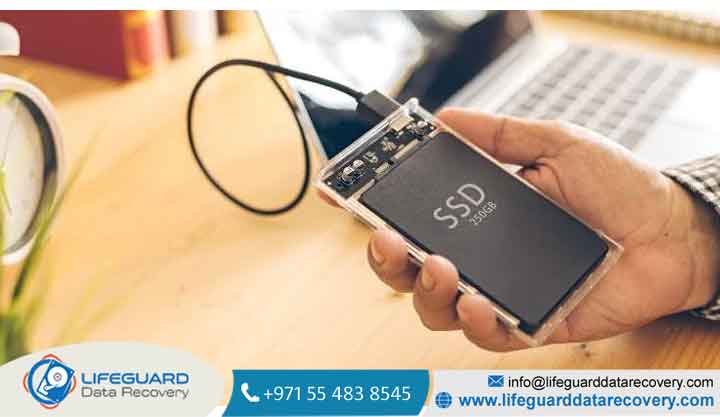
External USB drives travel around a lot, so they easily suffer from broken plugs, sudden power cuts, or drops. When doing external hard drive recovery, technicians often crack open the plastic case first.
They want to check if the issue is just a broken USB connector plug, or if the internal drive itself is actually dead. If it’s just an accidental format, deep software scanning usually brings back almost everything easily.
Removable Storage: USB Flash Drives and SD Cards
Small memory cards used in cameras and small thumb drives are very compact. If you get a simple error message on your camera card, a standard file recovery software sweep can often save your photos quickly.
But if the tiny stick is physically snapped or the main chip inside dies, engineers have to perform a “chip-off” recovery meaning they desolder the tiny memory chip and connect it directly to a reader to extract the raw data.
When to Stop DIY and Call a Professional
If your lost data is super important like tax documents for your business or irreplaceable pictures of a passed loved one you shouldn’t play guessing games with cheap download apps. DIY software is only safe if your device is physically healthy and you simply deleted a file by accident.
If your drive is making weird clicking, scratching, or buzzing sounds, or if it smells like burnt plastic, turn it off immediately. Forcing a broken mechanical drive to run will cause the broken parts to scratch the inside disk, shaving off your data forever.
In these scary situations, put down the software and look for professional data recovery services that have proper cleanroom facilities and matching spare parts.
Better Safe Than Sorry: How to Prevent Data Loss
Using a data recovery service should always be your absolute last option. The best way to save your files is to make sure they are never in danger in the first place.
The Famous 3-2-1 Backup Strategy
The absolute best way to protect your digital life is to use the simple 3-2-1 rule:
Keep at least three (3) copies of your files (the original copy you work on, plus two backups).
Use two (2) different types of devices (for example, your laptop hard drive and an external portable drive).
Keep at least one (1) backup copy offsite, like in a secure cloud service (Google Drive, iCloud, OneDrive) or at another house.
Business Metrics: Understanding RPO and RTO
If you manage a business, your IT plan needs to clearly define two simple numbers so you know how much backup protection you need:
Recovery Point Objective (RPO): This means how much data you can afford to lose. For instance, if you backup your work every 4 hours, your RPO is 4 hours of data.
Recovery Time Objective (RTO): This is how long you can afford to have your systems down before it hurts your business (e.g., getting everything back online within 2 hours).
Cyber Resilience and Immutable Storage
To protect your files from modern hackers, you need smart defense. This means using immutable storage systems. These are special backups that use a “Write-Once-Read-Many” rule.
Frequently Asked Questions (FAQ)
Can data be recovered after a full factory reset or format?
It really depends on how you formatted it. A standard “Quick Format” on an old hard drive just resets the table of contents, so your files are still there and can be saved. However, a “Full Format” or a factory reset on newer phones and laptops often overrides everything with zeros or wipes the internal encryption keys.
Why does saving new files overwrite my old deleted files?
Computers don’t actively wipe things when you hit delete; they just mark that sector as “free real estate.” When you download a new app, save a movie, or even stream a video online, the computer looks for that marked empty space and writes the new data directly over the old blocks.
How long does it take for a pro lab to get data back?
But if it’s a tough physical case like a drive with broken internal parts that needs rare matching spare pieces, or a complex business storage setup it can take anywhere from a few days to a whole week of hard lab work.
Is it safe to crack open a broken hard drive at home?
Definitely not! Never open up a hard drive cover at home. If dust lands on the disk platter, it acts like a giant rock that will crash the read arm and instantly destroy your data the moment you plug it back in.
Conclusion: Guarding Your Digital Life
Data recovery technology has come a long way. Today, experts can save files from burnt chips, water-damaged laptops, and completely scrambled drives.