Whether you dropped an external drive in a puddle, spilled coffee on your laptop, or survived a major household flood, the panic is the same. Your life, work, and memories are locked inside a wet piece of hardware.
The short answer is yes in the vast majority of cases, water-damaged storage devices can be recovered. However, the margin between a successful recovery and permanent data loss depends entirely on what you do in the first few minutes after exposure.
This guide breaks down the physical science of liquid damage, debunks dangerous DIY recovery myths, and details the exact steps required to save your files from both spinning hard drives (HDDs) and solid-state drives (SSDs).
The Core Answer: Is Data Recovery from Damaged Storage Devices Possible After Water Exposure?
To understand how data recovery from damaged storage devices works, you have to understand that data itself is not water-soluble.
Whether stored as magnetic charges on a platter (HDDs) or electrical charges inside silicon cells (SSDs), your files remain physically present after a liquid spill. Water itself does not erase files. Data loss only occurs when:
-
Electricity is introduced, causing a short circuit that physically burns components.
-
Corrosion eats away at microscopic solder joints and electronic pathways over time.
-
Contaminants (salt, minerals, dirt) dry onto the media, creating physical barriers or scratches.
If you block these three destructive forces, the recovery success rate is exceptionally high.
HDDs vs. SSDs: How Water Damages Different Types of Storage
While both store data, Hard Disk Drives and Solid-State Drives are fundamentally different machines. Consequently, they fail differently when wet.
Traditional Hard Drives (HDDs) and Liquid Exposure
A traditional hard drive is a mechanical marvel. Inside its metal housing are ultra-smooth, magnetic platters spinning up to while read/write heads hover mere nano meters above them.
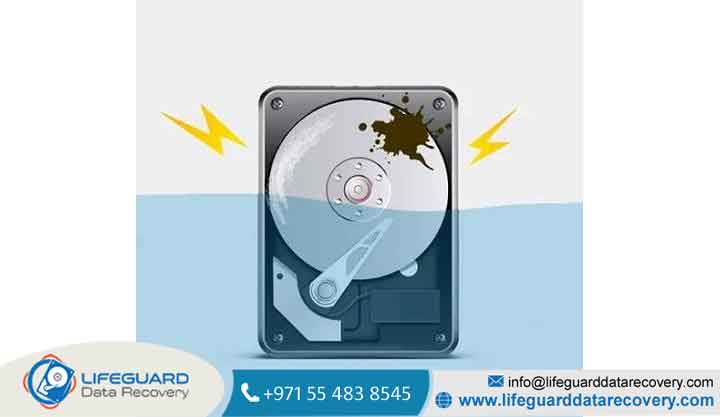
Contrary to popular belief, HDDs are not hermetically sealed. They feature a “breather hole” with a microscopic filter to equalize air pressure. When submerged, water enters this hole.
-
The Threat: As water fills the chamber, it deposits microscopic minerals, dust, and contaminants onto the platters.
-
The Consequence: If the drive dries out, these contaminants bake onto the platter surface. If the drive is powered on with dried residue inside, the read/write heads will crash into the debris, physically scraping the magnetic data layer off the platters and causing permanent, unrecoverable data loss.
Solid-State Drives (SSDs) and Flash Storage Vulnerabilities
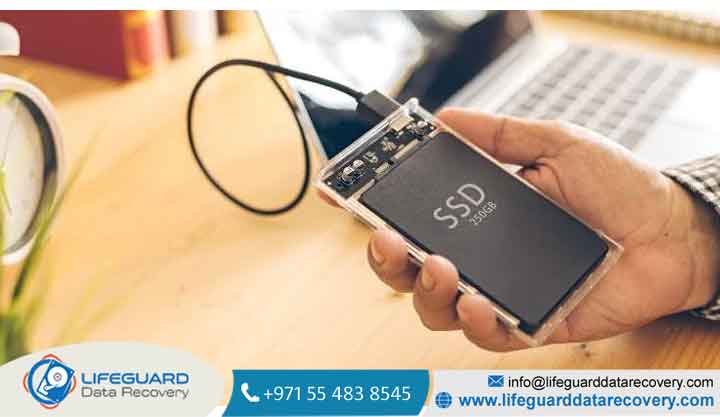
SSDs have no moving parts. Instead, they store data on silicon chips called NAND flash memory, managed by an onboard controller chip.
-
The Threat: Water acts as a highly conductive bridge. If an SSD is wet when powered, electricity bypasses the circuit board’s designed pathways, causing instantaneous short circuits.
-
The Consequence: A severe power surge can fry the SSD controller chip, its capacitors, or the NAND flash chips themselves. While the silicon chips can survive immersion, high voltage running through a wet circuit board can physically melt the internal transistors that hold your data.
Embedded and External Storage Recovery Challenges
External drives, USB flash drives, and SD cards face an additional hazard: enclosure pooling. Water often gets trapped inside protective plastic casing long after the outside feels dry. When you plug a wet external storage device or digital storage card into a USB port, the 5V power delivery instantly triggers destructive electrolysis, corroding the board in seconds.
The Science of Destruction: Clean Water vs. Saltwater vs. Corrosive Liquids
The type of liquid that touches your device dictates how fast you must act to secure a corrupted storage device recovery
Immediate Emergency Protocol: How to Handle a Wet Device
If your device is currently wet, stop what you are doing and follow this triage protocol.
Step 1: Immediate Power Down
Do not try to “check if it still works” or perform a quick file recovery from damaged drives using software. If the device is connected to a laptop or wall outlet, pull the plug immediately. If it’s a phone or external drive, do not power it up.
Step 2: Surface Draining and Component Isolation
Wipe the exterior of the device with a lint-free cloth. If you are dealing with a removable external hard drive, carefully extract the internal drive from its plastic outer enclosure to prevent water from pooling inside the casing.
Step 3: The Safe Storage Controversy (Moist HDDs vs. Dry SSDs)
This is where standard advice diverges depending on your drive type:
-
For Solid-State Media (SSDs, SD Cards, USBs): Let them dry naturally in a warm, dry room with good airflow. Because they have no internal platters, evaporation is your friend.
-
For Mechanical Hard Drives (HDDs): Do not let them dry out. If a flooded HDD dries naturally, the contaminants in the water will cement themselves to the platters. Professional laboratories, such as hard drive recovery experts, recommend placing a wet mechanical drive in a sealed plastic bag with a damp paper towel or sponge to preserve the moisture until it reaches a cleanroom.
The Myths That Will Destroy Your Data (Why Rice Fails)
The internet is flooded with “first-aid” advice for wet electronics. Most of it is highly destructive.
-
The Rice Myth: Placing a wet drive in a bowl of dry rice does not draw moisture out of sealed internal chambers. Worse, rice introduces fine starch dust and powder. When this dust meets the moisture inside your device, it forms a highly corrosive, sticky paste that destroys circuit boards and ruins HDD platters.
-
The Hairdryer / Heat Myth: Using a hairdryer, oven, or direct sunlight to dry a drive causes thermal expansion. The delicate components inside an HDD can warp, and solder joints on an SSD can crack under localized heat.
How Professional Data Recovery Experts Salvage Wet Media
When local computer repair shops give up, a dedicated professional data recovery company utilizes cleanrooms and microscopic engineering to rebuild your device.
Cleanroom Disassembly and Ultrasonic Chemical Baths
For wet mechanical drives, engineers open the drive inside an ISO-certified Cleanroom to prevent airborne dust particles from contaminating the platters.
The drive components are placed in specialized chemical solvents inside an ultrasonic bath. These high-frequency sound waves agitate the liquid, safely stripping away dried minerals, corrosion, rust, and salt without physically touching or scratching the delicate platters.
Advanced Component Replacement and Donor Matching
Water often destroys the external Printed Circuit Board (PCB) or the read/write head assembly. Engineers must locate an identical “donor drive” matching the model, firmware version, and manufacturing batch to transplant these delicate components.
This temporary hardware transplant allows the drive to function just long enough to extract the files.
NAND Chip-Off Recovery for Dead SSDs
If an SSD’s controller chip is completely fried but the NAND storage chips are intact, experts execute a “chip-off” recovery.
Technicians use precise hot-air rework stations to desolder the microscopic memory chips from the damaged circuit board. These chips are cleaned and placed into proprietary physical readers. Because the data on SSDs is heavily interleaved
scrambled, and managed by complex controller wear-leveling algorithms, engineers must manually reconstruct the raw hex code to reassemble your file system.
Note: For modern devices featuring hardware encryption (such as iPhones or Apple Silicon Macs), chip-off recovery yields only encrypted, unreadable text. In these cases, engineers must perform highly advanced board-level micro-soldering to revive the original controller chip.
Choosing a Secure Data Recovery Service
If your lost files contain sensitive personal data, financial records, or proprietary business documents, you cannot trust just any shop. Ensure the provider you choose offers:
-
Class 100 ISO Cleanrooms: Vital for opening mechanical hard drives.
-
No Data, No Charge Guarantees: You should only pay if your critical files are successfully recovered.
-
Robust Security Compliance: Look for SOC 2 Type II certification to guarantee your extracted files are handled with military-grade secure data recovery services.
Long-Term Prevention: Safeguarding Against Liquid Disasters
The only 100% reliable defens against water damage is a redundant backup strategy.
-
The 3-2-1 Rule: Keep three copies of your data, stored on two different types of media, with one copy kept completely offsite (e.g., automated cloud backup).
-
Invest in Ruggedized Hardware: If you travel or work outdoors, buy external drives with an IP68 ingress protection rating, meaning they are certified to withstand immersion in water up to 1.5 meters for 30 minutes.
Frequently Asked Questions (People Also Ask)
Can I use file recovery software on a water-damaged drive?
No. Data recovery software only works on physically healthy drives that are experiencing logical issues (like accidental deletion). If a drive has internal water damage, plugging it in to run software will trigger a short circuit, permanently destroying the media before the software can scan a single sector.
How long can a hard drive stay submerged and still be recoverable?
Drives have been successfully recovered after spending weeks submerged in fresh water. The key is keeping them wet during transport so oxygen does not accelerate the rusting and corrosion process. Saltwater reduces this survival window to a matter of hours.
What are the signs of internal water damage if the drive looks dry?
If you suspect water got inside a dry-looking drive, look out for:
-
A faint ticking, clicking, or scraping sound when plugged in (HDD head failure).
-
The drive failing to register in your computer’s BIOS/UEFI menu.
-
The drive casing or controller area becoming burning hot to the touch within seconds.
-
A subtle smell of burnt solder or ozone.
Does insurance cover water-damaged data recovery services?
Many comprehensive homeowner’s, renter’s, or business interruption insurance policies cover the cost of professional data recovery if the damage was caused by a covered peril, such as a burst pipe or natural disaster storm surge. Check with your provider before paying out of pocket.