Can Data Be Recovered from a Burnt Hard Drive? Realities & Recovery Steps
Going through a house fire or having a major electrical short at work is honestly terrifying. On top of all the physical damage, losing priceless family pictures, important office files, or financial records can make you feel completely helpless. If your computer, server, or portable drive got caught in a fire, I’m sure you are asking yourself: can data be recovered from a burnt hard drive
The short answer is yes! In many cases, files can actually be saved from a badly burnt or charred drive. As long as the shiny round platters inside aren’t warped and haven’t hit super high temperatures, professional data recovery experts can usually get your files back.
In this guide, we’ll talk about what really happens to a drive during a fire, how heat affects different parts, how to handle the drive safely, and what experts do inside their labs to get your data back.
Understanding Fire Damage and Hard Drive Data Survival
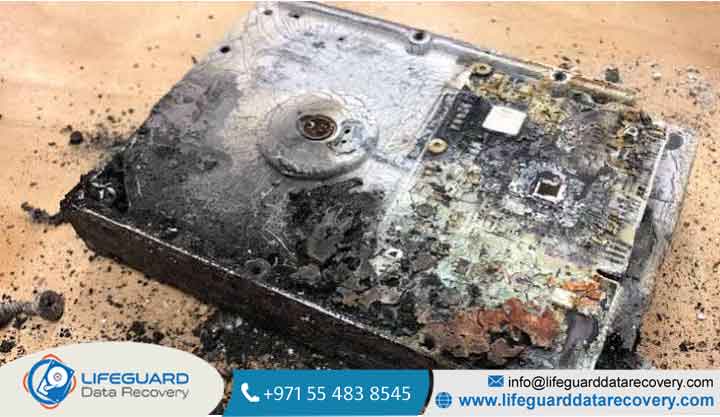
When you pull a hard drive out of a fire, it usually looks completely destroyed. The plastic parts are melted, the stickers are burned off, and the main circuit board looks like black charcoal. But here’s the good thing: hard disk drives (HDDs) are built like tiny metal safes to protect the delicate parts inside.
How Heat, Smoke, and Fire Affect Hard Disk Drives
When experts work on burnt hard drive data recovery, they look at the drive in two main parts:
-
The Outside Parts: This is the control board (PCB), the power plugs, cables, and the heavy metal casing. These parts take the worst hit from flames and heat, but they don’t actually hold your files.
-
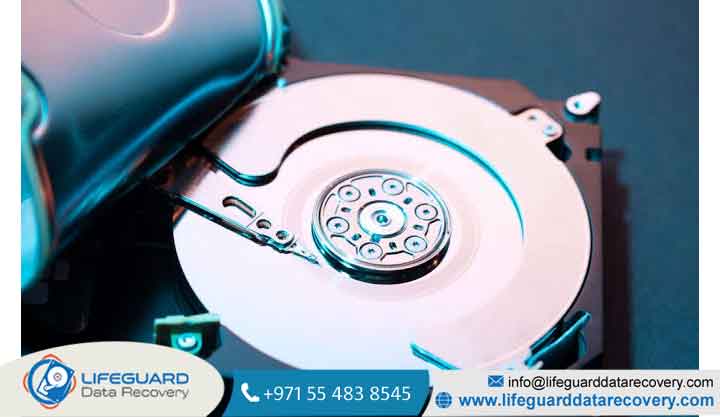
The Inside Chamber: This holds the motor, the little reading arms, and the magnetic platters where all your photos and documents are stored.
If the fire wasn’t super long or burning at extreme heat, the outer metal casing acts like a shield. It protects those shiny inside platters even if the outside board is totally ruined.
The Critical Threshold: Curie Temperature and Heat Limits
Inside the drive, the platters are made of aluminum or strong glass with a tiny magnetic coating. Your computer saves files by arranging those magnetic spots.
-
Normal Working Temperature: Hard drives like to stay cool, usually between 5°C and 60°C (41°F to 140°F).
-
Melting Point of Parts: The plastic bits and reading heads inside start to melt around 120°C to 150°C.
-
The “Curie Point” (Where Data Disappears): Your data stays safe until the platters hit what scientists call the Curie point. This is the exact temperature where metal loses its magnetic memory. For most drives, this happens around 300°C to 400°C (572°F to 752°F).
Unless your drive was sitting right in the hottest part of a big fire for hours, the inside platters usually stay below that dangerous temperature limit.
Causes of Heat Damage and Associated Hazards
Doing fire damaged hard drive recovery isn’t just about fighting heat. Fires create a few different problems that can hurt computer parts all at once.
Electrical Fires vs. Structural Building Fires
-
Power Surges & Electrical Damage: Sometimes a short circuit burns the board inside your computer. In an electrical damage hard drive recovery case, only the board gets burned, leaving the inside platters completely safe.
-
Full Building Fires: Direct flames cause extreme heat, lots of thick black smoke, and high pressure inside the room.
Secondary Threats: Soot, Hose Water, and Extinguisher Chemicals
Surprisingly, the fire itself isn’t the only thing that damages the drive:
-
Black Smoke Soot: Super tiny carbon particles can sneak through tiny breath holes in non-sealed drives, getting ash all over the platters.
-
Fire Hose Water: Water cools the drive fast, but it brings moisture. Wet metal starts to rust very quickly.
-
Chemical Foams: Fire extinguishers leave sticky chemical powder behind that eats through metal traces on the circuit board.
Identifying the Extent of Damage
Before trying data recovery from burnt hard drive units, engineers check the drive carefully to see if it can be saved.
| What You See | What Actually Happened | Chance of Recovery |
| Blackened Casing / Burnt PCB | Outside board is burned, label is gone, but the casing is tight. | High: Platter data is safe; needs a new board and cleanroom check. |
| Soot & Water Everywhere | Drive is wet from fire hoses, covered in ash and dirt. | Medium to High: Needs special chemical washing and platter cleaning. |
| Bent Metal Cover | Drive shape looks bent or twisted from intense heat. | Low: Platters inside might be warped or scratched badly. |
| Flaking Coating / Ash Inside | The seal broke and internal magnetic layer burned away. | Zero: Data is permanently gone due to extreme heat. |
How Professionals Recover Burnt Hard Drives
Trying to fix a burned drive at home or using free download software just won’t work, and it usually ruins any chance you have left. Burned hard drive recovery has to be done in a proper lab with special tools.
-
Washing and Drying: Engineers clean the outside using special chemical liquids or ultrasonic water baths. If it got wet from fire hoses, they dry it slowly under controlled temperatures so rust doesn’t form.
-
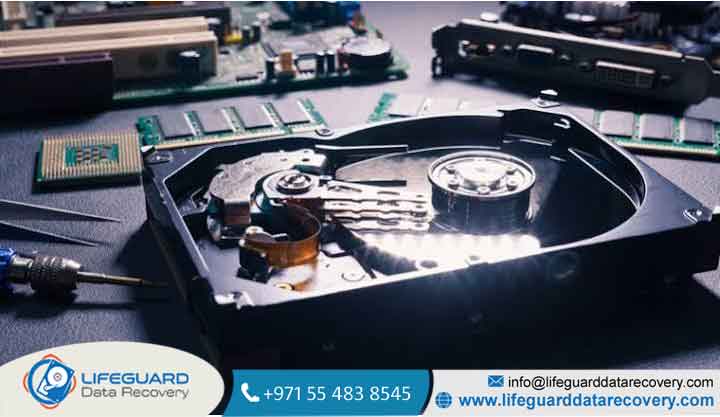
ISO Class 100 Cleanroom Check: The drive is opened inside a super clean room with filtered air. Doing hard drive cleanroom recovery keeps dust from landing on the smooth platters.
-
Board Repair & Memory Chip Swap: For hard drive PCB damage recovery, buying a random board online won’t work because each drive has a unique memory chip (ROM/NVRAM). Engineers desolder this tiny chip from the burnt board and move it to a good matching board.
-
Replacing Broken Internal Parts: If the reading arms melted, engineers take good arms from a donor drive or move your platters into a new working drive casing.
-
Copying the Data (Imaging): The fixed drive is plugged into a professional system like PC-3000 to make a complete digital copy of your files safely.
Critical Handling Steps to Protect Data After a Fire
If you just picked up a drive from a fire site, here are some simple rules to give you the best chance of saving your files:
-
DO NOT try wiping the drive clean. Wiping soot with a towel or tissue causes tiny scratches on delicate connectors.
-
DO NOT dry a wet drive with heat. Don’t use a hair dryer, oven, or microwave. Heat makes the metal bend and ruins the internal alignment.
-
DO keep a wet drive damp. If it got soaked by fire hoses, put it inside a sealed plastic bag with a damp paper towel. If a wet drive dries in open air, rust starts instantly.
-
DO pack it safely. Wrap the drive in soft bubble wrap, put it in a solid cardboard box, and send it straight to a professional hard drive recovery lab.
Frequently Asked Questions
Can software recover data from a burnt hard drive?
No, it can’t. Recovery software needs a healthy drive that turns on normally and shows up on your computer screen. Burnt drives have physical damage that software simply cannot fix.
Can I swap the circuit board on a burnt drive by myself?
No, this doesn’t work on modern drives. Hard drives made after 2004 have unique calibration data saved in a microchip on the board. A simple board swap won’t read your files and might damage the drive further.
How much heat can a hard drive take before data is lost?
While internal plastic parts start melting around 120°C to 150°C, the actual magnetic data on the platters can survive heat up to 300°C–400°C (572°F–752°F) before the data gets erased completely.