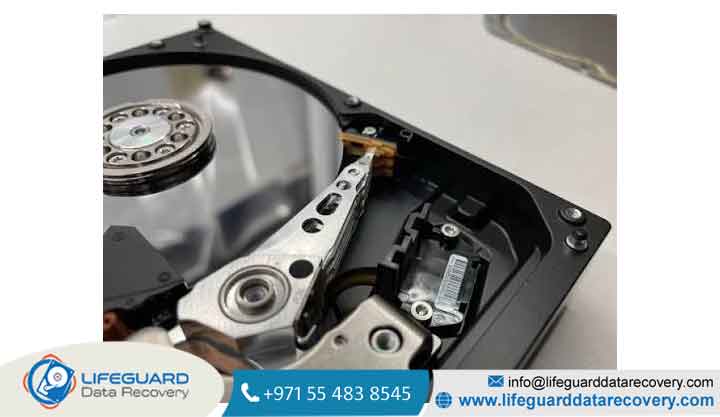
Sudden HDD head failure occurs when the read/write heads inside a traditional hard disk drive lose structural alignment, degrade electronically, or make direct physical contact with spinning magnetic platters.
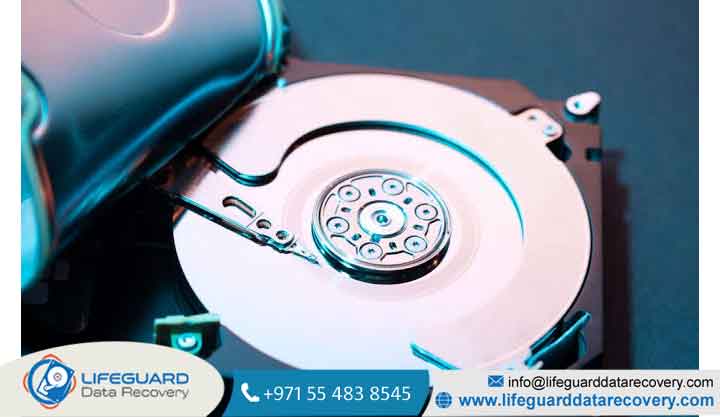
Inside a mechanical hard drive, data is read and written by micro-sized electromagnets mounted on an actuator arm assembly. These read/write heads do not touch the platters during normal operation.
Instead, they fly above the disk surface on a microscopic cushion of air created by the high-speed rotation of the platters a fluid dynamic phenomenon known as the air bearing.
When functioning correctly, the separation between the read/write head and the magnetic platter surface is extremely thin often measuring between 3 to 5 nano meters. For context, a single human hair is approximately thick, and a single smoke particle measures around 500 nano meters.
Because the fly height is so narrow, even subtle physical shocks, airborne contaminants, or electrical anomalies can disrupt the air bearing and cause catastrophic mechanical damage.
Read/Write Head Anatomy and Air Bearing Sliders
The read/write head itself is part of a complex sub-assembly attached to the end of the actuator arm:
-
Slider Architecture: The head element sits on an aerodynamically shaped ceramic block called a slider. The slider features sub-micron grooves engineered to compress air as the platter spins beneath it, generating lift.
-
GMR/TMR Sensors: Modern hard drives utilize Giant Magne toresis tive (GMR) or Tunnel Magne toresis tive (TMR) sensors. These microscopic read elements detect minute changes in magnetic fields on the platter surface to read binary data (
0s and1s). -
Flex Circuitry: Signals captured by the heads travel along a thin printed flexible circuit (PFC) attached to the actuator arm, connecting directly to the hard drive’s main Logic Board (PCB).
The Mechanism of a Physical Head Crash
A head crash represents the worst-case mechanical failure for a hard disk drive. It occurs when the air bearing breaks down and the slider makes direct physical contact with the high-speed rotating platter
head strips away the delicate thin-film magnetic coating deposited on the glass or aluminum platter. This friction generates fine metallic dust and microscopic debris inside the sealed drive enclosure (HDA). These loose particles act as an abrasive inside the chamber, causing secondary head crashes across other platter surfaces and causing irreversible data destruction.
Primary HDD Head Failure Causes
Identifying the underlying HDD head failure causes is crucial for choosing the right recovery path and preventing similar mechanical failures on critical storage systems.
Physical Impact, Drops, and Kinetic Shock
External physical force is the leading cause of sudden read/write head failure.
-
Operational Shock: If an external hard drive or laptop experiences a drop, bump, or tilt while in use, the kinetic momentum overcomes the air cushion. The slider strikes the platter surface at high speed.
-
Non-Operational Shock: Even if a drive is turned off, severe physical shock can dislodge the heads from their resting ramp (parking zone). The heads can snap, warp, or clamp down directly onto the platters (stiction), rendering the drive unreadable upon the next power-up.
Thermal Stress and Severe Overheating
Hard drives are engineered to operate within specific temperature thresholds typically between 5°C and 55°C (41°F to 131°F). Operating a hard drive in poorly ventilated enclosures or ambient environments exceeding these thresholds leads to thermal degradation:
-
Thermal Expansion Variance: Different metals within the drive enclosure expand at varying thermal rates. Severe heat alters mechanical tolerances, shifting the slider position relative to the track.
-
Preamp Chip Degradation: The pre-amplifier chip, mounted directly on the actuator arm inside the drive enclosure, amplifies tiny magnetic signals read by the heads. High temperatures degrade this chip, causing sudden signal loss that presents identically to a physical head failure.
Power Fluctuations, Sudden Outages, and Electrical Surges
Sudden power disruptions pose a direct threat to hard drive mechanical components:
-
Incomplete Parking Sequences: Modern hard drives rely on the rotational inertia of the spinning platters (back-EMF) to generate electricity and park the actuator arm safely off the disk surface during an unexpected shutdown. If a sudden power cut coincides with a voltage spike, this emergency parking mechanism can fail, trapping the heads over the data surface.
-
Voltage Spikes: A power surge traveling through a low-quality Power Supply Unit (PSU) can damage the PCB drive electronics, shorting out the internal preamp and frying the read/write head elements instantly.
Manufacturing Defects, Material Fatigue, and Wear
Every mechanical drive has an operational lifespan measured in Mean Time Between Failures (MTBF). Over years of continuous operation, micro-friction wears down component materials:
-
Slider Bond Degradation: Microscopic adhesives bonding the read/write sensor element to the ceramic slider can degrade, causing sensor detachment.
-
Spindle Bearing Wobble: As fluid dynamic bearings (FDB) wear down over thousands of hours, the drive spindle develops microscopic alignment variations (runout). This wobble makes it impossible for the heads to stay centered over data tracks, causing repeated read errors and forced emergency recalibrations.
Recognizing the Signs and Symptoms of Sudden Hard Drive Head Crash
Catching mechanical errors early helps prevent catastrophic platter scoring.
Audible Diagnostics: The “Click of Death” and Grinding Sounds
A healthy hard drive produces a gentle, low hum when spinning up, accompanied by soft ticking sounds during active read/write operations. Physical hardware issues produce distinct, alarming noises:
-
Repetitive Clicking (“Click of Death”): When a head fails or loses its read sensitivity, it cannot locate the system Servo track information on the platter. The drive’s controller repeatedly sweeps the actuator arm back and forth from the inner stop to the outer edge, searching for position alignment. This produces a rhythmic click-click-click sound.
-
Scraping or Screeching: A sharp, metallic scraping noise indicates direct contact between the slider and the spinning platter. Power down the device immediately if you hear this noise.
-
Whining or Beeping: If the heads clamp down onto the platters while stopped (stiction), the spindle motor cannot spin up, producing a high-pitched electronic strain or repetitive beeping noise.
System-Level Symptoms: S.M.A.R.T. Errors, Slow Reads, and I/O Failures
System operating systems register physical hardware degradation through clear operational flags:
-
Operating System Freezes: Accessing a folder or opening a file hosted on a drive with a failing head will cause Windows File Explorer or macOS Finder to hang indefinitely.
-
Cyclic Redundancy Check (CRC) / I/O Device Errors: The system raises severe input/output device errors during file copy operations due to unreadable magnetic sectors.
-
S.M.A.R.T. Threshold Triggers: Self-Monitoring, Analysis, and Reporting Technology (S.M.A.R.T.) utilities flag critical attribute failures, specifically Attribute 05 (Reallocated Sectors Count), Attribute 184 (End-to-End Error), and Attribute 187 (Reported Uncorrectable Errors).
Emergency Action Plan: What to Do (and What NOT to Do) When Heads Fail
When dealing with physical hardware failure, taking the wrong troubleshooting steps can permanently destroy recoverable files within minutes.
Immediate Power-Down Procedures
-
Cut Electrical Power Immediately: Unplug the power source or disconnect the external USB cable. Do not initiate a slow operating system shutdown process if the system is hanging on a failing secondary drive.
-
Label and Isolate the Device: Clearly label the drive as hardware-damaged to prevent colleagues or family members from plugging it back in to “test” it.
Dangerous DIY Myths to Avoid
-
: Running Automated Disk Repair Software : Utilities like or third-party logical recovery software force the drive to read unreadable sectors repeatedly. If a head is failing or scraping the platter, running software scanners will shred the magnetic media, rendering the drive permanently unrecoverable.
-
The Hard Drive “Freezer Trick”: A lingering urban legend suggests putting a failing drive in a sealed bag inside a freezer. Condensation will form inside the hard drive’s head disk assembly (HDA), causing moisture droplets to freeze on the platter surface and destroying the read/write elements instantly upon startup.
-
Opening the Drive Casing at a Desk: Opening the top cover of a hard drive outside of a certified cleanroom environment introduces millions of airborne dust particles that settle directly on the platter surface, causing immediate multi-head destruction upon rotation.
Safe Recovery Options: Professional HDD Mechanical Data Recovery
Recovering files from a failed read/write assembly requires mechanical component replacement performed by cleanroom specialists.
Cleanroom Environment Standards (ISO Class 5 / Class 100)
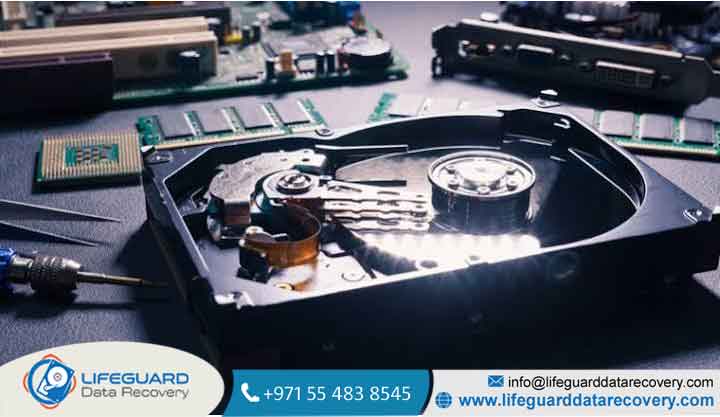
Physical recovery requires opening the sealed hard drive enclosure. This step must take place inside an ISO Class 5 (Class 100) Cleanroom or laminar flow workbench:
-
Air Filtration: ISO Class 5 environments utilize HEPA/ULPA filtration systems that maintain fewer than 3,520 particles (0.5 microns or larger) per cubic meter of air.
-
Particle Control: Working in a cleanroom prevents airborne micro-dust from getting trapped beneath replaced sliders during head stack assembly swaps.
Donor Drive Matching and Actuator Assembly Replacement
Replacing a damaged head stack assembly (HSA) requires sourcing an identical “donor” drive manufactured under matching engineering specifications:
-
Matching Parameters: Data recovery engineers match parameters down to the exact Model Number, Part Number (P/N), Site Code, Micro-code, Controller Chip family, and Head Preamplifier Revision.
-
Micro-Mechanical Extraction: Engineers use specialized head comb tools to slide damaged head assemblies off the platters without allowing the replacement sliders to touch each other or scratch the drive surface.
-
Firmware Adaptation: The drive is connected to specialized hardware diagnostic tools (such as PC-3000) to adjust internal adaptation parameters and bypass damaged tracks, extracting a raw bit-level clone of the drive.
Regional Considerations for Mechanical Data Recovery
Environmental hazards vary depending on geographical operational environments:
-
High Humidity & Coastal Heat: In warm, humid environments (such as coastal areas across India, or humid regions in the Gulf like Dubai and the wider UAE), rapid temperature shifts between air-conditioned offices and ambient outdoor heat accelerate internal fluid-bearing wear and condensation issues inside non-hermetically sealed drives.
-
Logistics & Local Cleanroom Facilities: For users seeking specialized hard drive head failure recovery in India or HDD head failure recovery in Dubai and the UAE, ensure the chosen recovery provider operates a verified local ISO Class 5 cleanroom facility equipped with hardware-level imaging suites, rather than shipping drives to unverified third-party brokers.
How to Prevent Future Hard Drive Head Crashes
While mechanical wear is inevitable over time, proper hardware hygiene significantly reduces the risk of sudden mechanical failure.
Environmental Controls (Uninterruptible Power Supplies and Airflow)
-
Power Conditioning: Plug critical desktop systems, NAS devices, and external backup arrays into line-interactive Uninterruptible Power Supply (UPS) units to insulate hardware against line noise, brownouts, and voltage spikes.
-
Vibration and Thermal Management: Ensure desktop towers sit on stable surfaces off the floor to mitigate ambient vibration. Maintain active case airflow to keep operating hard drive temperatures consistently under 40°C.
Implementing a Robust 3-2-1 Backup Strategy
Hardware fails, but proper backup protocols insulate your files against loss:
-
3 Copies: Keep three total copies of your important data (one primary operational copy and two backup copies).
-
2 Different Media Types: Store your backups across two different storage formats (e.g., local internal HDD + external SSD or local NAS).
-
1 Offsite Copy: Maintain at least one copy in an offsite location or secure cloud storage environment to protect against physical disasters like fire, flood, or localized power damage.
Frequently Asked Questions (FAQs)
Can a hard drive head failure be repaired without professional cleanroom equipment?
No. Hard drive components are manufactured under microscopic tolerances. Opening a hard drive casing outside of an ISO Class 5 cleanroom allows ambient dust particles to settle on the platters, causing immediate head crashes upon spin-up. Furthermore, physical head replacements require specialized head-stack comb tools and hardware imaging equipment (e.g., PC-3000) to adjust internal firmware adaptives.
How do I know if my hard drive failure is logical or physical?
A logical failure involves software-level file system corruption, accidental formatting, or partition loss the drive mechanics remain completely silent and spin up smoothly without unusual noise. A physical failure involves hardware damage, typically marked by distinct clicking, grinding, or screeching sounds, complete failure to spin, or immediate system freezes as soon as the drive receives power.
How long does a hard drive typically last before head failure occurs?
The average operational lifespan of a mechanical hard disk drive is between 3 to 5 years. While high-grade enterprise-class drives can last longer under ideal thermal and electrical conditions, internal component wear, mechanical fatigue, and fluid-bearing degradation significantly increase the risk of physical head failure past the 5-year mark.
Is data recovery possible if the heads have scratched the platter surface?
Data recovery depends on the depth and location of the physical scratches (known as rotational scoring). If the read/write head has scraped away the thin magnetic film coating down to the bare glass or aluminum substrate (creating visible concentric ring grooves), the data stored on that specific damaged band is permanently destroyed.
However, if the scoring is minor or restricted to non-critical system tracks, cleanroom recovery specialists can often bypass the damaged platter surface and extract data from remaining healthy surfaces.