Solid-state drives (SSDs) have fundamentally altered digital storage, swapping mechanical platters for high-speed semiconductor components. At the center of this transition is NAND flash memory non-volatile silicon designed to hold data without continuous power.
While SSDs deliver incredible throughput, their operational speeds and ultimate lifespans are governed by the physics of flash memory. Understanding how NAND flash memory affects SSD performance and data recovery clarifies why drives slow down as they age, how controllers prevent data corruption, and what happens when hardware fails.
What is NAND Flash Memory in an SSD?
Before exploring performance mechanics, it helps to review how NAND memory is physically structured.
Core Architecture: Transistors, Pages, and Blocks
A NAND flash memory SSD stores binary data inside tiny memory cells built from floating-gate or charge-trap transistors. These cells are organized into a strict hierarchy:
-
Cells form Pages (typically 4 KB to 16 KB in size).
-
Pages form Blocks (typically 128 to 512 pages per block).
This layout introduces a fundamental physical constraint: SSDs can read and write data at the Page level, but they can only erase data at the Block level.
Non-Volatile Memory vs. System RAM
Unlike Volatile System RAM, which clears every time your computer restarts, NAND flash is non-volatile memory. It traps electrical charges (electrons) inside an insulated pocket. The presence or absence of trapped charge determines whether a cell reads as a binary
Planar 2D NAND vs. Stacked 3D NAND
Older planar (2D) NAND arranged cells side-by-side on a flat surface. As manufacturers shrank transistor sizes to fit more storage on a single chip, adjacent cells began suffering from electrical interference (“cross-talk”).
To overcome this physical limit, modern drives use 3D NAND. Instead of shrinking cells horizontally, manufacturers stack memory cells vertically in dozens or hundreds of layers (exceeding layers in commercial hardware). Stacking maintains high capacity, improves NAND memory performance, and enhances cell stability.
How NAND Flash Memory Affects SSD Performance
Not all SSDs deliver identical speeds. The underlying flash architecture directly governs read/write latency, sustained write throughput, and overall NAND flash SSD performance.
Cell Density Trade-offs (SLC vs. MLC vs. TLC vs. QLC)
An SSD’s speed depends heavily on how many bits of data are packed into each physical cell:
| Cell Type | Bits per Cell | Voltage Threshold States | Latency (Read/Write) | Relative Speed & Endurance |
|---|---|---|---|---|
| SLC (Single-Level) | 1 bit | 2 states | Lowest Latency | Fastest / Highest Endurance |
| MLC (Multi-Level) | 2 bits | 4 states | Low Latency | Balanced Speed / High Endurance |
| TLC (Triple-Level) | 3 bits | 8 states | Moderate Latency | Standard Consumer Speed |
| QLC (Quad-Level) | 4 bits | 16 states | High Latency | Slower Writes / Lowest Endurance |
Squeezing 4 bits into a single cell (QLC) requires the drive controller to measure 16 voltage levels. Fine-tuning electrical charges with that level of precision takes significantly more time, which explains how NAND flash memory affects SSD performance during heavy write workloads.
SLC Caching and Sustained vs. Burst Write Speeds
To hide the native slowness of TLC and QLC NAND, consumer SSD manufacturers allocate a portion of the drive as a pseudo-SLC cache.
-
Burst Operations: Incoming writes are initially treated like single-bit SLC cells, giving you rapid file transfer speeds.
-
Sustained Operations: Once this temporary SLC cache fills up during large file transfers (e.g., copying a 100 GB file), write speeds drop to the native TLC or QLC rate, often slowing down significantly.
The Impact of Write Amplification Factor (WAF)
Because an SSD cannot overwrite existing data without erasing an entire block first, it performs a routine called Garbage Collection. The controller copies valid data pages out of a dirty block, moves them to a clean block, and erases the old block entirely.
This process causes Write Amplification: the SSD writes more physical data to the NAND chips than the user originally requested. A high Write Amplification Factor increases internal processing overhead, directly slowing down drive throughput.
Thermal Throttling
High-speed M.2 NVMe drives generate heat during sustained transfers. When NAND flash memory and controller temperatures exceed operating safety limits (typically above 70°C), the drive controller activates thermal throttling. This intentionally reduces read/write speeds to prevent permanent thermal degradation of the silicon.
How NAND Flash Degradation Drops Drive Speed Over Time
As an SSD ages, physical cell wear transforms into noticeable performance bottlenecks. Understanding how NAND affects SSD speed over time requires looking at microscopic degradation.
The Physics of Program/Erase (P/E) Cycle Wear
Writing to a cell involves pushing high-voltage electrical currents through a silicon dioxide insulating layer. Over thousands of NAND flash wear and tear cycles, trapped charges gradually weaken this insulation.
ECC Overhead and Read Retries
When memory cell insulation wears down, electrical charges begin leaking, creating “bit flips” (a 1 accidentally switching to a 0). Modern SSD controllers use Low-Density Parity-Check (LDPC) error correction to catch and resolve these errors on the fly.
However, as NAND flash degradation progresses:
-
The controller encounters more corrupted bits per read request.
-
Hard hardware decoding fails, forcing the controller into slower Soft-Decision Decoding.
Wikipedia -
The drive must perform multiple read retries across fluctuating voltage ranges before delivering the file.
This internal decoding workload causes read latency spikes, system stuttering, and slow application loading times long before the drive actually breaks.
Bad Block Accumulation
When a block becomes too degraded for reliable use, the controller marks it as a “bad block” and remaps future writes to a spare sector drawn from over-provisioning space. Remapping data forces the controller to lookup translated block locations in real-time, adding latency to everyday file operations.
Signs and Symptoms of Worn or Failing NAND Memory
Detecting NAND flash failure symptoms early gives you time to copy your data before total hardware lockout occurs.
-
Extreme Read/Write Slowdowns: File transfers that previously took seconds take minutes or cause your desktop to freeze while the controller attempts background read retries.
-
File Corruption Error Messages: Opening documents triggers errors like “File is corrupted and cannot be opened,” indicating uncorrectable bit errors.
-
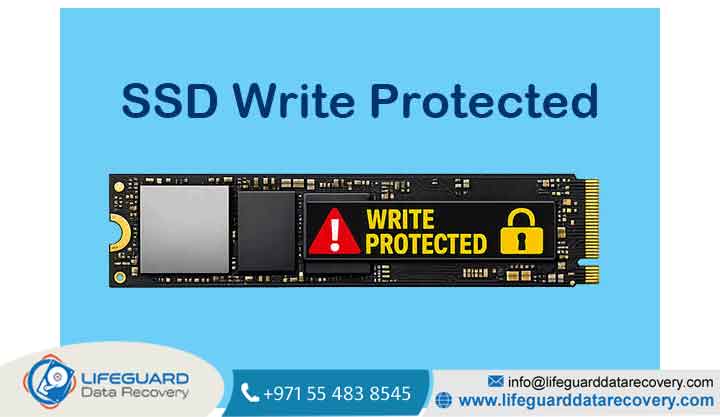
Automatic Read-Only Mode Lockout: When spare over-provisioning blocks are exhausted, the SSD controller locks write permissions permanently to protect existing data from corruption.
-
S.M.A.R.T. Health Warnings: Diagnostic tools show critical drops in Media Wearout Indicator, Reallocated Sector Count, or Uncorrectable Error Count.
How NAND Flash Failure Impacts Data Recovery
When NAND flash memory and SSD performance deteriorate into complete failure, extracting files becomes a complex technical challenge.
Drive Locked in Read-Only Mode
If the SSD firmware locks write permissions due to accumulated bad blocks, the data stored on the drive remains readable. Users can connect an external drive and copy files off manually.
Accumulated Bad Blocks and File System Corruption
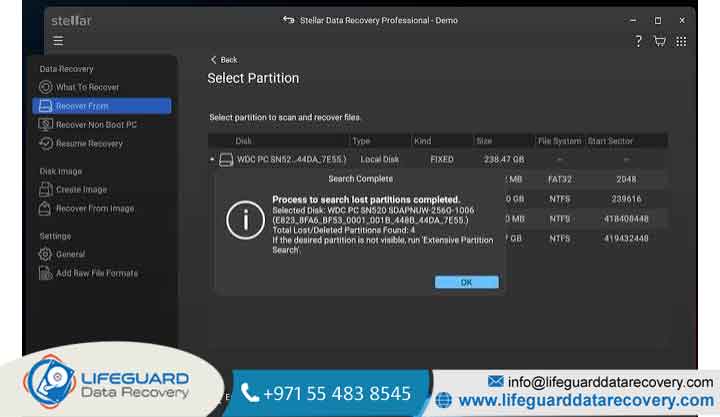
When bad blocks corrupt file allocation tables (causing partitions to appear as RAW), standard software tools or raw sector-imagers (like the DeepSpar Disk Imager) can bypass read errors by adjusting controller timeout settings and reading stable sectors first.
Controller Panic and Invisibility
Difficulty: High (Requires Specialized Laboratory)
If critical lookup tables inside the flash chips corrupt entirely, the controller enters a “panic state.” The drive disappears from the system BIOS entirely or displays an incorrect hardware profile (e.g., 0 MB Capacity). Recovering files in this state requires professional lab hardware (such as the PC-3000 Flash) to communicate directly with the controller in safe mode.
The Problem with Modern Chip-Off Recovery
On older SSDs, technicians could desolder individual flash memory chips and read raw data directly with external equipment. On modern NVMe and SATA SSDs, chip-off recovery is rarely effective due to:
-
Hardware Controller Encryption: Modern controllers encrypt data going into NAND chips using hardware-level AES keys. Removing the chip breaks access to that decryption key.
-
Complex LDPC Interleaving: High-density 3D NAND uses custom, controller-specific data distribution patterns that cannot be manually reconstructed without functional controller hardware.
How to Maintain NAND Flash Performance and Extend Lifespan
While hardware wear is inevitable, proper maintenance keeps your NAND memory performance stable over time.
-
Keep 15–20% Free Capacity: Leaving unused space gives the controller plenty of spare blocks for wear-leveling and garbage collection, preventing write amplification spikes.
-
Confirm Operating System TRIM Support: TRIM informs the controller which erased pages can be wiped during idle times, avoiding slow write-erase loops during active use.
-
Ensure Proper Cooling: Use heatsinks on fast M.2 NVMe SSDs to prevent elevated operating temperatures from degrading silicon structures.
-
Avoid Using SSDs for Cold Archive Storage: Unpowered SSDs left in storage retain electrical charges for roughly 1 to 3 years at room temperature before natural electron leakage causes data rot. Use mechanical HDDs or tape backups for long-term unpowered storage.
Frequently Asked Questions (FAQs)
Does a full SSD slow down because of NAND flash memory?
Yes. When an SSD approaches maximum capacity, the controller runs low on free blocks for wear-leveling and garbage collection. This forces the drive to perform real-time block erases before writing new data, causing severe performance drops.
How does QLC NAND affect real-world SSD performance compared to TLC?
QLC stores 4 bits per cell using 16 distinct voltage states. Reading and writing to QLC cells takes longer, resulting in lower sustained write speeds and roughly one-third the physical write endurance of TLC NAND.
Can data be recovered if an SSD NAND chip is physically cracked?
No. If the physical silicon wafer inside the NAND package is cracked or shattered, the microscopic cell structures are permanently destroyed, making data recovery impossible.
How long will NAND flash memory retain data without power?
Per JEDEC industry standards, a healthy consumer SSD stored at room temperature (~25°C) will retain unpowered data for roughly 1 to 3 years. Higher ambient temperatures accelerate electron leakage and shorten retention time significantly.