When a hard disk drive (HDD) fails, the boundary between full data recovery and permanent data loss often comes down to a single phase: the initial diagnosis.
Many users assume data recovery begins with scanning a drive for lost files. In reality, recovery specialists follow a strict, non-destructive triage protocol. Attempting to read files from a physically degraded drive using standard operating systems or software scanners can cause read/write heads to crash directly into magnetic platters, destroying data permanently.
Understanding how recovery experts diagnose HDD damage inside a controlled laboratory environment reveals the sophisticated balance of electrical engineering, hardware isolation, and cleanroom mechanics required to save critical files.
What is an HDD Data Recovery Diagnosis?
An HDD data recovery diagnosis is a forensic evaluation conducted to pinpoint the exact failure mechanism of a storage device without subjecting it to further operational stress.
Unlike standard IT troubleshooting which relies on boot tests or OS-level error checking lab diagnostics evaluate a drive’s core health vectors:
-
Electrical circuits
-
Microcode/firmware integrity
-
Mechanical stability
-
Logical file structures
By isolating the drive from standard system requests, engineers determine whether data loss stems from a simple partition corruption or a catastrophic mechanical failure.
Primary Categories of Hard Drive Failure Experts Assess
Professional engineers categorize hard drive issues into four primary failure vectors during a hard drive failure diagnosis:
| Failure Category | Primary Cause | Typical Impact |
| Electrical (PCB) | Power surges, failed TVS diodes, thermal stress | Complete loss of power; drive does not spin up |
| Firmware / System Area | Corrupted microcode, module read errors | Drive spins up normally but is misidentified in BIOS |
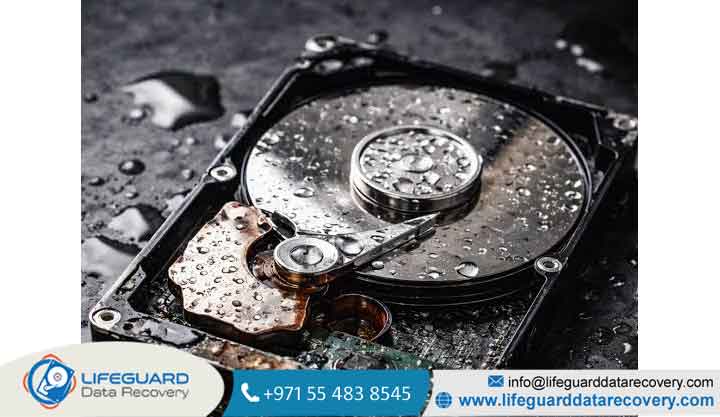
| Mechanical / Physical | Head crashes, seized spindle bearings, drop damage | Clicking/grinding noises; physical platter degradation |
| Logical | File system corruption, accidental formatting, malware | Drive works physically, but partitions show as RAW/unallocated |
Evaluating physical HDD damage requires specialized physical isolation, whereas firmware and logical issues require low-level software and hardware utilities.
Common Hard Drive Failure Symptoms Analyzed During Triage
During initial diagnostic triage, specialists cross-reference observable hard drive failure symptoms with underlying hardware behavior:
-
Repetitive Clicking or Grinding (The “Click of Death”): Signals that the read/write heads are failing to calibrate on the platter tracks or cannot read the drive’s firmware zone, causing the actuator arm to sweep back and forth continuously.
-
Drive Spins Up, Then Spins Down: Indicates a power delivery failure, an electronic component short, or a safety shutoff triggered by internal mechanical resistance.
-
0-Byte Capacity or Wrong Model Name: Points to corrupted System Area (SA) firmware modules stored on the magnetic platters, preventing the drive’s controller from initializing fully.
-
Extremely Slow Read Times / I/O Device Errors: A classic sign of degrading read/write heads or localized magnetic platter degradation (bad sectors).
Step-by-Step: The Professional HDD Diagnostic Process
Executing an accurate HDD diagnostic process requires strict adherence to lab protocols to avoid altering or destroying original drive media.
Exterior Visual Inspection & PCB Diagnostics
Before applying electrical power, engineers inspect the Printed Circuit Board (PCB). Using multimeters and digital microscopes, they verify:
-
Burnt TVS (Transient Voltage Suppressor) diodes and fuses
-
Corroded SATA/IDE connector pins
-
Blown motor controller chips
-
Corrupted ROM (Read-Only Memory) chips holding adaptive drive data
If an electrical fault is found, engineers repair the circuit or perform a donor PCB swap combined with a ROM transfer before proceeding.
ISO Class 100 Cleanroom Mechanical Inspection
If physical or internal mechanical damage is suspected, the drive cover is removed inside an ISO Class 100 Cleanroom bench under a laminar flow hood. Engineers evaluate:
-
Platter surfaces for rotational ring scratches (media wear)
-
Read/write head alignment and parking ramps
-
Spindle motor freedom and bearing integrity
Critical Fact: Opening a hard drive outside an environment with fewer than 100 airborne particles per cubic foot invites microscopic dust onto the platters, causing instant head crashes when the drive spins up.
Firmware & System Area (SA) Isolation
HDDs reserve a hidden region on the magnetic platters known as the System Area (SA), containing essential microcode, translator tables, and defect lists. If the SA cannot be read, the drive cannot function.
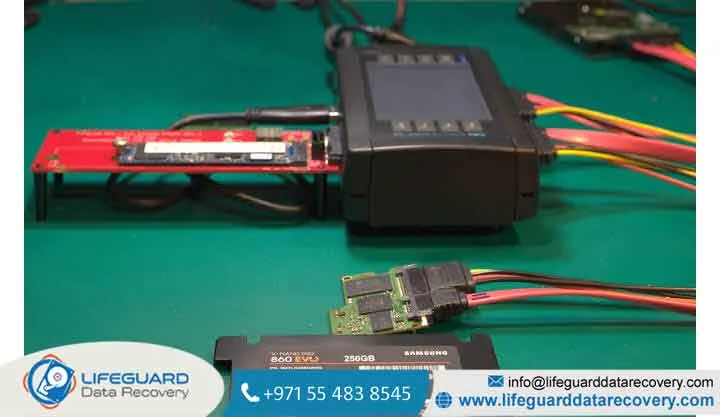
Recovery experts bypass standard operating systems and connect the drive directly to specialized data recovery hardware. This isolates the SA, allowing engineers to patch corrupted firmware modules, repair translator tables, and disable failing read/write heads individually.
Non-Destructive Sector-by-Sector Imaging
Laboratory hard drive diagnostic testing never works directly on a client’s original drive to extract files. Instead, once stable, the drive is connected to a hardware imager to build a bit-level forensic clone.
Hardware imagers allow engineers to:
-
Read around bad sectors without triggering OS timeout loops
-
Adjust read head timeout limits and read speeds dynamically
-
Disable unstable heads to safely extract data from remaining healthy heads
Advanced Tools & Hardware Used in Hard Drive Damage Diagnosis
Professional diagnosis relies on hardware platforms built specifically for storage forensics and repairs:
-
Hardware Data Recovery Workstations (e.g., PC-3000): Hardware and software utilities capable of low-level terminal communications, SA firmware repair, and RAM microcode execution.
-
Hardware Write-Blockers: Ensure that no write commands are sent to the target drive during diagnosis.
-
Head Replacement Combs & Spindle Unstickers: Mechanical tools engineered to safely remove damaged head assemblies without touching platter surfaces.
-
Oscilloscopes & Multimeters: Measure voltage drops, ripple currents, and signal frequencies across the drive’s PCB components.
Why Standard Software Tests Fail (And Destroy Damaged Hard Drives)
When faced with a failing hard drive, many users run native tools like CHKDSK, S.M.A.R.T. scanners, or third-party commercial software. For physically damaged drives, this is often fatal.
Standard utilities assume the hardware underneath is functionally stable. They continuously send read requests to damaged magnetic sectors. If a read/write head is bent or dragging on a platter, standard software forces that head to drag across the surface millions of times—generating heat, stripping the magnetic media layer, and turning critical data into dust.
How to Protect Your Data When HDD Failure Is Suspected
If you suspect a drive is failing, follow these basic steps to preserve your data before seeking an assessment:
-
Power Off Immediately: Stop reading or writing to the drive to prevent head drag.
-
Avoid DIY Hacks: Never freeze your hard drive or attempt to open the top cover yourself.
-
Document Symptoms: Take note of any unusual sounds, error codes, or physical events (e.g., drops) leading up to the failure.
-
Seek Professional Evaluation: Send the drive directly to an engineering facility capable of cleanroom diagnosis.
Frequently Asked Questions
Can a hard drive be diagnosed without opening it in a cleanroom?
Yes. Non-invasive diagnostics cover electrical circuits, ROM chips, PCB health, and firmware integrity using hardware utilities. A cleanroom environment is only required if the drive shows signs of physical or mechanical failure, such as clicking noises or spindle motor issues.
Does running S.M.A.R.T. tests damage a failing hard drive?
It can. While S.M.A.R.T. reads built-in health attributes, extended diagnostic passes force intensive read cycles across the drive. If the read/write heads are degrading, this extended activity can accelerate mechanical failure.
What is the difference between logical and physical HDD damage diagnosis?
A logical diagnosis checks for file system corruption, partition table errors, and deleted structures while the hardware remains physically healthy. A physical diagnosis identifies hardware failures, such as damaged head assemblies, shorted PCBs, or platter scratches, requiring cleanroom intervention.
How do experts diagnose clicking hard drives without causing platter scratches?
When a drive clicks, specialists do not leave it running on a regular computer. They mount it to specialized hardware utilities that allow them to disable specific heads or power down the drive instantly. If physical head damage is confirmed, the head assembly is replaced in a cleanroom prior to further power tests.