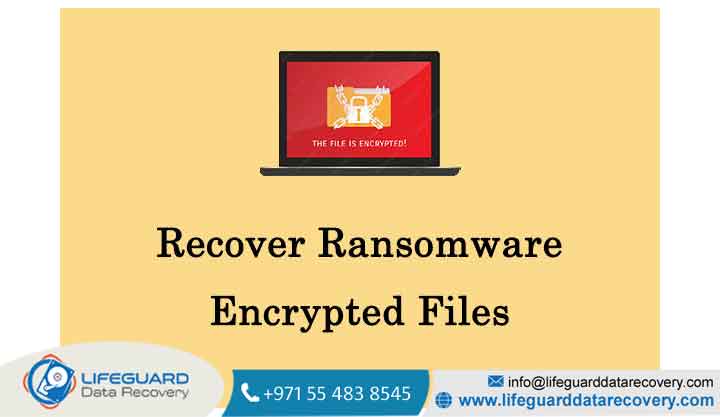
Discovering that corporate infrastructure or private directories have suddenly appended unknown extensions (like .locked, .crypto, or .crypted) along with an ominous text file text creates immediate, high-stakes panic.
The short, mathematically precise answer is: Yes, ransomware-encrypted files can often be recovered but the mechanism depends entirely on the operational hygiene you practiced before the attack and the sophistication of the malware variant that hit you.
If you are currently facing an active breach, trying to brute-force modern encryption algorithms without the mathematical key is impossible. However, the system vulnerabilities, deployment flaws, and architecture of the attack leave distinct recovery vectors open. This technical guide breaks down exactly how to safely assess your infrastructure, recover your files, and outmaneuver extortion tactics.
The Reality of Ransomware Data Recovery: How Encryption Works
To know if your data is retrievable, you must understand what the malware did to your system storage layer. Ransomware groups use a combination of two encryption types to lock local and network directories:
-
Symmetric Encryption (e.g., AES): The attacker’s payload utilizes the same cryptographic key to scramble and descramble your data. Because this process is highly efficient, the malware can lock gigabytes of local data in seconds.
-
Asymmetric Encryption (e.g., RSA): The malicious binary contacts a Command and Control (C2) server to retrieve a public key, which it uses to encrypt the symmetric key itself. The corresponding private key stays on the attacker’s server.
Because of this asymmetric layer, public mathematical cracking is impossible. True ransomware data recovery depends entirely on locating structural implementation errors made by the developers of the malware payload, exploiting unlinked space at the storage controller layer, or executing air-gapped recovery protocols.
Immediate Triage: Signs of an Attack and First Response Steps
Before deploying a single restoration tool, you must contain the infection. If the active payload detects changes to system files during an ongoing sweep, it may trigger a destructive wiper sequence.
Step 1: Physical and Logical Isolation
If you observe new, unreadable file extensions or an active ransom note window, you must halt lateral movement instantly.
-
Action: Do not attempt to log off or reboot the server (which can destroy crucial decryption components stored within volatile RAM). Immediately disconnect network Ethernet lines and disable all Wi-Fi interfaces. If you are handling cloud workloads, immediately generate a point-in-time snapshot of the volume for digital forensics and isolate the virtual network security group.
Step 2: Stop Backup Replication
If your architecture relies on hot-swappable local sync utilities, immediately pause all active jobs. Unmanaged sync tasks will propagate the newly encrypted files directly into your cloud storage tiers, overwriting version histories.
How to Recover Ransomware Encrypted Files: 4 Proven Methods
When looking at how to recover ransomware encrypted files, execution order matters. You must transition systematically from internal configurations down to external recovery frameworks.
Backup and Ransomware Recovery (The Gold Standard)
The absolute safest path back to operational stability is deploying untampered backups. However, the recovery environment must be meticulously engineered to avoid immediate re-infection.
-
Scan Before Restoring: Advanced advanced persistent threats (APTs) often deploy the ransomware capsule after a lengthy dwell time, meaning your oldest backup points might contain dormant malicious binaries. Run signature and behavioral analysis scans across your chosen restoral points in an isolated sandbox network.
-
The Immutable Layer: If you utilize immutable cloud storage architecture, leverage the Write-Once-Read-Many (WORM) parameters to instantly mount clean volumes, effectively bypassing the encrypted disk layout completely.
Utilizing Windows Native Features: Volume Shadow Copies
Many entry-level or poorly constructed malware variants fail to cleanly wipe the operating system’s background snapshots due to local user access restrictions.
-
The Technical Vector: If the administrative prompt of the ransomware payload failed to clear your configurations, the Volume Shadow Service (VSS) logs remain fully intact.
-
Restoration Workflow: Rather than running generic system restores, use utilities like ShadowExplorer to browse hidden system snapshots. If accessible, you can export unencrypted, point-in-time structures of your folders directly onto external, clean media.
Public Decryptors and File Decryption Services
If backups are missing or corrupted, your next line of defense relies on global cybersecurity alliance repositories.
-
No More Ransom Project: Operated through a joint framework by Europol, the Dutch National Police, and enterprise security partners, this clearinghouse holds thousands of verified cryptographic keys.
-
Identification Strategy: Never upload your files to unknown websites promising decryption. Instead, extract the exact ransom note text or upload the encrypted file header directly into the Crypto Sheriff portal. If law enforcement has successfully seized the threat group’s master C2 infrastructure, you can download a authenticated, verified standalone extraction tool at no cost.
Data Recovery Software vs. Raw File Carving
When ransomware executes across a hard drive, its programmatic architecture dictates how the data is modified:
If the strain uses Method B, it creates an encrypted copy and deletes your original file. While the file disappears from your file system directory tree, the raw blocks remain untouched on the magnetic platter or flash storage blocks until new write commands fill them.
-
The Recovery Move: By deploying deep raw-sector carving utilities, you can scan unallocated disk sectors to bypass the file system index completely, reconstructing the deleted originals before the OS overwrites the space.
When to Call the Experts: Professional Ransomware Recovery Services
If your local arrays are entirely compromised and public keys are unavailable, you may need to evaluate professional ransomware recovery firms. However, extreme caution is required to filter out predatory actors.
Industry Warning: A significant subset of low-tier “data recovery experts” possess no proprietary decryption software. Instead, they act as hidden brokers—they contact the threat actors, pay the extortion fee on your behalf, add a 30% service premium, and return the decrypted data to you while claiming credit for a technological breakthrough.
When vetting legitimate secure data recovery and incident response specialists, require transparency on their methodology:
-
Forensic Verification: The firm should focus on digital forensics and ransomware root-cause analysis, identifying how the attackers broke in so you do not get re-infected post-restore.
-
Strict Sector Carving: They should use hardware-level data extraction platforms to rebuild damaged storage arrays and missing disk volumes.
-
Sanctions Compliance Verification: They must provide clear proof that any asset movement complies strictly with international regulatory bodies (such as OFAC) to protect your organization from legal penalties.
The Hidden Risks of Paying the Ransom
When standard encrypted file recovery routes hit a wall, leadership teams often consider paying the extortion fee. However, clear statistics show this choice rarely yields clean results:
-
The Decryption Failure Rate: Global cybersecurity telemetry indicates that organizations paying demands recover, on average, only a fraction of their target data. The attackers’ custom decryption tools are notoriously unstable, frequently crashing midway through large database runs and permanently corrupting files.
-
The Sanctions Trap: Paying ransomware syndicates based in sanctioned jurisdictions exposes your enterprise to heavy financial and criminal liabilities, regardless of operational duress.
-
The Double Extortion Threat: Modern threat groups routinely steal your sensitive data before triggering the encryption routine. Paying to unlock your hard drives does not guarantee they won’t sell your exfiltrated data on the dark web two weeks later.
Moving Forward: Ransomware Protection and Recovery Planning
True operational resilience means structuring your infrastructure so that a complete file encryption event becomes an easily manageable disruption rather than a catastrophic event.
-
Modernizing to the 3-2-1-1 Strategy: Maintain at least 3 distinct copies of corporate records, distributed across 2 separate media types, with 1 storage tier kept entirely off-site, and 1 dataset built within a strictly air-gapped or immutable infrastructure environment.
-
Enforce Zero-Trust and MFA: Because compromised identities account for a massive share of network entries, implementing strict multi-factor authentication (MFA) across all remote access entryways prevents attackers from gaining the administrative footings required to deploy widespread malware.
Frequently Asked Questions (FAQ)
Can I decrypt my files for free?
Yes, provided your system was compromised by an older, flawed, or disrupted variant. Legitimate platforms like the No More Ransom portal host free, authenticated decryption tools. Avoid third-party search results claiming they can unlock any strain for a flat upfront fee; these are almost always scams.
How long does it take to recover files after a ransomware attack?
Depending on data volume, recovery timelines vary wildly. Small environments using clean local backups can recover within 24 to 48 hours. Large corporate networks requiring forensic clearance, malware containment, and verified data staging typically take 1 to 2 weeks to safely return to production status.
What is the role of digital forensics and ransomware investigations?
Digital forensics identifies the attack’s initial entry vector (e.g., a spear-phishing link or unpatched VPN vulnerability). Finding and closing this gap ensures that once you restore your files from clean backups, the threat actors cannot immediately use the same backdoors to encrypt your network again.