SSD & HDD Recovery Experts Dubai Lifeguard Data Recovery UAE If you are staring at a blank screen, hearing a rhythmic clicking from your server, or realized that years of corporate data just vanished from an unreadable SSD, the panic is real.
At Lifeguard Data Recovery, we specialize in turning digital disasters into successful restorations. As the premier SSD & HDD Recovery Experts Dubai, we combine thirty years of forensic engineering experience with a state-of-the-art ISO Class 100 Cleanroom laboratory located right here in the UAE.
We understand that data loss is not just a technical failure; it is a business emergency and a deeply personal loss. Whether it is mission-critical financial databases, irreplaceable family photos, or high-stakes legal evidence, our team is dedicated to providing the most reliable, professional, and confidential data recovery services in the Emirates.
Why Choose Us
Choosing a data recovery provider in the UAE is a decision that impacts the security of your most sensitive assets. Many local computer repair shops claim to offer “data recovery,” but they often lack the specialized infrastructure required to handle physical hardware failures.
Attempting to repair a crashed drive in a standard office environment can lead to permanent data destruction. Lifeguard Data Recovery differentiates itself through a commitment to international engineering standards and local accountability.
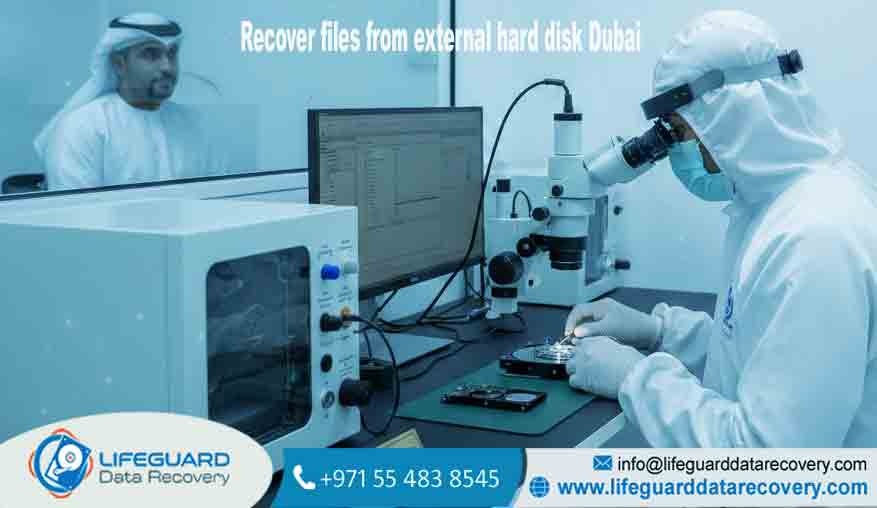
We operate one of the region’s few genuine ISO Class 100 Cleanroom facilities. This sterile environment is non-negotiable for Hard Disk Repair Dubai involving mechanical components. In a modern hard drive, the read/write heads hover nanometers above the spinning platters. A single microscopic speck of dust is like a boulder on a highway
it will cause a head crash, scratching the magnetic surface and making the data unrecoverable. Our laboratory ensures that every physical intervention is performed in a 100% sterile environment.
Furthermore, we prioritize your data’s absolute confidentiality. Whether we are handling a legal firm’s sensitive case files or a family’s private photo collection, we follow a strict chain-of-custody protocol.
Our facility is monitored 24/7 and our networks are air-gapped, ensuring that your recovered information remains private. We combine this high-security approach with a transparent, risk-free service model that has made us the #1 choice for government entities and private individuals alike.
Our Data Recovery Services
At Lifeguard Data Recovery, we have developed specialized protocols for every category of storage device used in the UAE’s diverse technological ecosystem.
Hard Drive and SSD Data Recovery
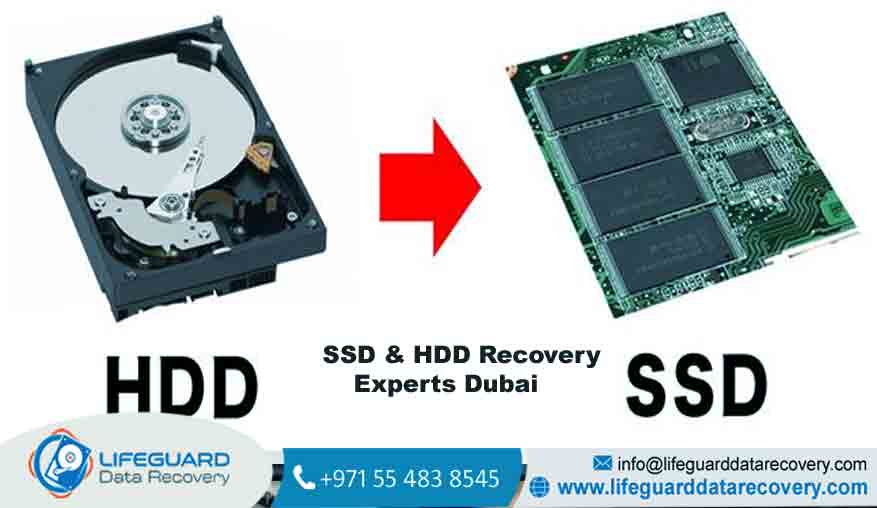
We offer comprehensive Hard Drive Recovery Dubai for both traditional Hard Disk Drives (HDD) and modern Solid State Drives (SSD). For HDDs, we specialize in resolving mechanical failures such as “stuck” spindle motors and damaged head assemblies.
For Professional SSD Data Recovery Dubai, our engineers use advanced NAND-level extraction techniques to bypass failed controllers. Because SSDs use complex encryption and wear-leveling algorithms, they require specialized hardware tools to reassemble the data fragments into usable files. Our expertise includes NVMe SSD Data Recovery Dubai and M.2 SSD Recovery Services UAE.
Professional Video File Recovery
Dubai is a global hub for media production. When a high-end cinema camera card fails or a production drive is accidentally formatted, the financial stakes are enormous. We provide expert video file recovery for corrupted or unreadable footage.
Our team can reconstruct damaged file headers and repair fragmented video streams from professional formats like Arri RAW, RED, and 4K/8K ProRes. We help production houses and independent creators avoid costly reshoots by salvaging lost content from SD, CF, and CFAST cards.
Mobile and iPhone Data Recovery Dubai
Your smartphone is likely your most personal device, containing everything from business contacts to years of irreplaceable memories. Our iPhone / Mobile Data Recovery Dubai service is designed to handle the most extreme cases, including severe liquid damage,
smashed logic boards, and forgotten passcodes. We utilize forensic tools and “chip-off” technology to read data directly from the device’s memory chips when the phone itself will no longer power on.
Enterprise RAID and Server Recovery
For corporations, a server crash is a tier-one emergency. Our RAID Data Recovery Dubai specialists are on call 24/7 to handle complex multi-drive failures in RAID 0, 1, 5, 6, and 10 configurations.
We have successfully reconstructed massive arrays from Synology, QNAP, and Dell PowerEdge systems where multiple disks had failed. Our process involves creating forensic clones of every drive in the array and then virtually rebuilding the parity to extract the data without risking further damage to the original hardware.
Laptop and Mac Data Recovery
Whether it is a MacBook Pro with a soldered SSD or a high-performance Windows workstation, we provide specialized Internal Laptop HDD Recovery Dubai. We are experts at navigating Apple’s FileVault encryption and T2/M-series security chips. Our technicians ensure that whether the failure is a result of a coffee spill or a system crash, your files are retrieved with 100% integrity.
CCTV, DVR, and NVR Data Recovery
Security footage is often the critical piece of evidence needed for insurance claims or legal proceedings. If your surveillance system fails or footage is accidentally deleted, our team can help. We provide specialized CCTV data recovery, using forensic techniques to rebuild overwritten or corrupted video files from DVR and NVR hard drives across the UAE.
Process: How It Works
Transparency is the foundation of our service. We believe you should understand exactly what is happening to your device at every stage.
1. Free Consultation and Diagnosis
Your journey begins with a professional intake. You can visit our laboratory or request a secure pickup from any location in the UAE. We perform a non-destructive initial evaluation to understand the symptoms and determine the likely cause of the failure. This stage is entirely free of charge.
2. Device Inspection and Failure Analysis
Once in our lab, our forensic engineers perform a deep-level diagnostic. We use hardware-level imaging tools to create a bit-for-bit clone of your drive. This ensures that we never work on your original media, protecting it from any further wear and tear. If a mechanical issue is detected, the drive is moved to our Cleanroom for internal inspection.
3. Recovery Plan and Transparent Quote
Based on our findings, we provide a detailed report outlining exactly what can be recovered. We accompany this with a fixed-price quote. There are no “hidden fees” or “attempt charges”—you receive a clear roadmap and a final price before we proceed with the full recovery.
4. Secure Data Extraction and Verification
With your approval, we begin the complex work of data extraction. This may involve repairing firmware, replacing damaged head stacks with identical donor parts, or rebuilding corrupted file systems. Once the data is extracted, we verify the integrity of your critical files to ensure they are functional and complete.
5. Data Delivery and Post-Recovery Support
Your recovered data is transferred to a new, secure storage device. We provide a window for you to review and verify the files before we securely erase the data from our temporary storage. Our team is available for post-recovery support to help you reintegrate the data into your workflow.
Issues We Fix: Real-World Data Loss Scenarios
We have seen every possible failure mode, and our facility is designed to solve them all.
Accidental Deletion or Formatting
It happens in a heartbeat: a “Format” command on the wrong drive or an accidental deletion of a folder. Whether it is a single file or an entire partition, we use sector-level scanning to find and restore data that the operating system no longer sees. This service is highly successful if the drive is powered down immediately after the mistake.
Clicking, Beeping, and Physical Damage
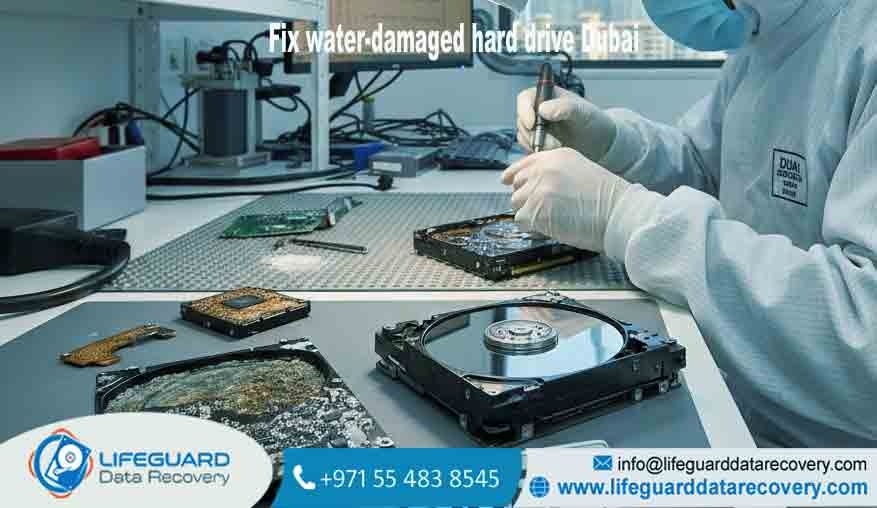
If you hear a clicking hard drive, it is likely that the read/write heads are failing and physically striking the platters. This often happens after a dropped laptop or a power surge. We are experts in Clicking HDD Repair Services, performing delicate head transplants in our sterile lab to stabilize the drive long enough to clone the data.
Corrupted Video and Unreadable Files
For media professionals, a corrupted hard drive or unreadable camera card is a nightmare. We specialize in fixing logical corruption and repairing broken file structures, ensuring that your 4K footage or massive databases are restored to their original state.
RAID Failure and Business Downtime
When a business server goes dark, every hour represents lost revenue. We provide emergency RAID and server recovery to solve controller failures, “double drive” failures, and volume corruption. Our goal is to restore your business continuity as quickly as possible, often within 24 to 48 hours.
Costs and Pricing Insight
At Lifeguard Data Recovery, we maintain a policy of absolute transparency regarding the investment required for your data restoration. While we do not provide a “one size fits all” price list because every recovery is unique our pricing is determined by several logical factors.
The primary cost drivers are the severity of the failure and the required labor. Logical recoveries, such as restoring accidentally deleted files from a healthy drive, are generally straightforward. Conversely, physical recoveries involving a dead hard drive require our Cleanroom facility, specialized donor parts, and hours of delicate engineering work.
Indicative Pricing Factors:
-
Device Type: Recovery from a standard external HDD is a different technical challenge than a 12-drive RAID array.
-
Storage Size: Larger drives take more time to clone and scan for data.
-
Failure Type: Logical issues (software) are generally less costly than physical issues (hardware).
-
Urgency: Our Emergency Recovery service provides 24/7 engineering attention for immediate results.
We provide a firm, fixed quote after our free diagnosis. This ensures you have all the information before making a decision, with no hidden costs added later.
Tips and Helpful Advice for Data Loss
The actions you take in the first few minutes after a hard drive crash will likely determine whether your data is recoverable or lost forever.
What to Do Immediately
-
Power Down: If your drive is making noise or your system won’t boot, turn it off immediately. Continuing to run a failing drive is the fastest way to cause permanent platter damage.
-
Disconnect: Remove the power cable or the battery from your laptop. If it is an external drive, unplug it from the USB port.
-
Note the Symptoms: Try to remember exactly what happened. Did the laptop fall? Was there a power outage? This information helps our engineers during the diagnosis.
-
Call the Professionals: Contact a specialized Hard Disk Data Recovery Experts team for an immediate consultation.
What NOT to Do
-
Do NOT Run DIY Software: “Free” recovery tools from the internet are designed for healthy drives with deleted files. If your drive has a mechanical problem, running software will force the damaged parts to grind against your data.
-
Do NOT Open the Drive: Never attempt to open a hard drive yourself. Opening a drive in a home or office environment will introduce contaminants that will destroy the media instantly.
-
Do NOT Use the “Freezer Trick”: Putting a hard drive in the freezer is an old myth. Condensation will form inside the drive once it is removed, leading to corrosion of the delicate magnetic disks.
Why We Are (Unique Value)
Lifeguard Data Recovery is more than just a service provider; we are the UAE’s center of excellence for data forensics. Our reputation as the most trusted Data Recovery Company UAE is built on several key differentiators.
First, our High Success Rate is not a marketing claim; it is a technical reality. We invest in the same hardware and firmware tools used by international law enforcement agencies.
This allows us to access the “Service Area” of a hard drive the hidden part of the disk where the drive’s own internal operating system resides. By repairing this firmware, we can often bring a “dead” drive back to life.
Second, our No Recovery – No Fee policy ensures that our goals are perfectly aligned with yours. We take on the risk because we are confident in our engineering team. If we cannot recover the data you have identified as critical, you do not pay the recovery fee.
Finally, our commitment to Data Privacy is absolute. We understand the legal and personal importance of your data, and we treat every case with the highest level of security and professional ethics.
Case Studies and Success Stories
Case Study 1: Dubai Financial District Server Recovery
-
Scenario: A prominent investment firm in DIFC experienced a simultaneous failure of two drives in their RAID 5 server.
-
Challenge: The server held five years of transaction records. Previous IT attempts to “rebuild” the array had failed, risking the entire volume.
-
Approach: Lifeguard engineers performed a manual rebuild of the parity data in our lab, bypassing the failed RAID controller.
-
Result: 100% of the data was recovered within 48 hours, ensuring the firm met its regulatory filing deadlines.
Case Study 2: Professional Photographer’s SSD Crash
-
Scenario: A wedding photographer in Al Barsha dropped their external SSD just hours after a major event. The drive was not detected.
-
Challenge: The SSD utilized hardware-level encryption and a proprietary controller that had suffered a short circuit.
-
Approach: We performed a “chip-off” recovery, removing the NAND flash chips and using a specialized reader to extract the raw data.
-
Result: All 4,000 RAW images were recovered, saving a once-in-a-lifetime event for the client.
Case Study 3: Legal Evidence CCTV Recovery
-
Scenario: A retail outlet needed footage from an incident, but the DVR had already overwritten the data.
-
Challenge: Standard DVR interfaces showed no files.
-
Approach: Using forensic imaging, we searched the unallocated space on the drive and reconstructed the deleted video fragments.
-
Result: The critical footage was recovered and provided to the authorities with a certified report.
Frequently Asked Questions (FAQs)
1. Can you recover data from a hard drive that was dropped?
Yes. Dropped drives usually suffer from physical “head crashes.” We use our Cleanroom to replace these parts and stabilize the drive for recovery.
2. How long does the data recovery process usually take?
Most standard recoveries are completed within 3 to 5 business days. For urgent situations, we offer an Emergency Data Recovery service that can provide results in as little as 24 hours.
3. Is my data secure and private during the process?
Absolutely. We follow strict non-disclosure protocols. Your data is handled on isolated systems and is completely erased from our servers once you have verified the recovery.
4. What happens if you cannot recover my data?
We operate on a “No Data, No Fee” basis. If we are unable to recover the files you need, you will not be charged a recovery fee. Our initial diagnosis is also free.
5. Can you recover data from a “Dead” SSD?
Yes. While SSDs do not have moving parts, their controllers and NAND chips can fail. We use specialized hardware to bypass the controller and read the data directly from the memory chips.
6. Do you support all hard drive brands?
Yes, we are Seagate HDD Recovery Dubai and Western Digital (WD) Repair Specialists, and we also support Toshiba, Samsung, Hitachi, and LaCie drives.
7. Can you recover data from water-damaged phones?
Yes. We use ultrasonic cleaning and board-level micro-soldering to repair water-damaged logic boards, allowing us to extract photos and messages.
8. Why is professional data recovery better than home software?
Professional tools allow us to control the drive’s hardware. We can stop a drive from “retrying” bad sectors, which prevents it from burning out.
9. Do you provide services in Abu Dhabi and Sharjah?
Yes. We provide secure pickup and delivery services across all seven Emirates, including Abu Dhabi, Sharjah, Ajman, and Ras Al Khaimah.
10. What should I do if my RAID server shows a “Degraded” status?
Back up your data immediately. If the system is already down, do not attempt to “Rebuild” the array without professional guidance, as this often leads to a total data loss.
Contact Lifeguard Data Recovery Today
If you are facing a data loss emergency, do not wait. Every moment a failed drive remains powered on increases the risk of permanent loss. Contact the experts at for the most reliable has to offer. Our team is standing by to help you navigate the recovery process with technical excellence and absolute peace of mind.