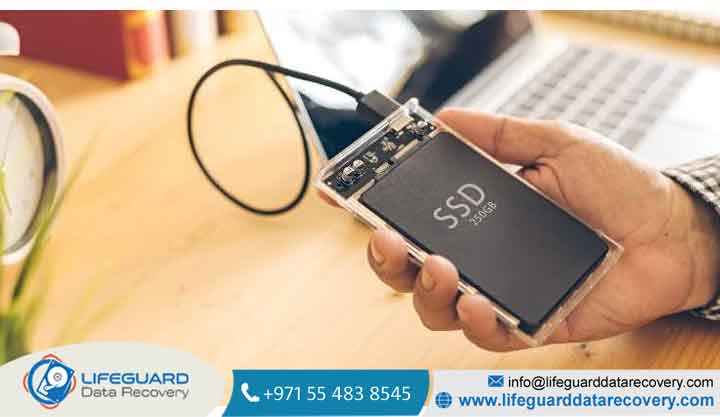
Can SSDs Be Recovered After Failure? What You Can (and Can’t) Save
If your computer suddenly refuses to boot, or your secondary drive abruptly vanishes from your file explorer, panic is a completely natural reaction. Solid-State Drives (SSDs) are blindingly fast, but when they fail, they don’t give you the warning clicks and whines of an old-school hard drive. They simply go dark.
The short answer is yes, data can often be recovered from a failed SSD, but the success rate depends entirely on how the drive failed and what happened immediately after the crash.
Understanding SSD Failure: How It Differs From HDD Cascades
Traditional Hard Disk Drives (HDDs) write data onto magnetic platters using a physical mechanical head. When they fail, it’s usually a gradual mechanical breakdown a motor dying or a head scratching a platter.
Solid-state technology is entirely electronic. SSDs use flash memory chips to store data, relying on an intricate architecture of silicon components to coordinate file placement. Because there are no moving parts, physical shocks won’t harm them, but they are uniquely susceptible to electrical and logical corruption.
Mechanical Wear vs. Silicon Degradation
Every single cell in a NAND flash memory chip has a limited number of Program/Erase (P/E) cycles. Over time, the oxide layer insulating these cells degrades, eventually preventing them from holding an electrical charge. When an SSD reaches its write endurance limit, it doesn’t spin down like an HDD; instead, individual sectors drop offline, or the drive’s onboard controller locks the drive down permanently.
The Core Culprits: Common SSD Failure Causes
Understanding why a drive died dictates the entire SSD recovery process. Solid-state drives generally fail due to one of three primary structural issues:
Firmware Corruption and Controller Failure
The SSD controller is the “brain” of your drive. It manages where data is written, runs wear-leveling algorithms, and translates computer requests into raw electron movements. If a bug occurs in the drive’s microcode (firmware)
or if the controller chip itself overheats and dies, the NAND flash chips containing your files become completely inaccessible even though the data on them remains perfectly intact.
Electronic Damage and Power Surges
Because SSDs run entirely on complex electrical circuitry, they are highly sensitive to voltage fluctuations. A sudden power outage or a cheap power supply unit (PSU) spike can easily fry the capacitors or resistors on the drive’s Printed Circuit Board (PCB). When this occurs, the drive will experience a complete power failure and fail to register in your system’s BIOS.
Logical Damage and File System Corruption
Sometimes the hardware is perfectly healthy, but the data structure is broken. Sudden system shutdowns, abrupt disconnection while saving a file, or malware infections can corrupt the master file table, partition maps, or file headers.
Early Warning Signals: Signs of SSD Failure to Watch For
Unlike mechanical drives, a failed SSD rarely gives acoustic clues. Instead, watch out for these system performance anomalies:
-
The Drive Becomes Read-Only (Write-Protection Lock): If you can open and copy files off your SSD but cannot save new data, delete items, or format the drive, your SSD has entered a protective lock. The controller has detected that the NAND flash has exhausted its lifespan and is trying to preserve what is left.
-
Frequent Blue Screens of Death (BSOD) or Kernel Panics: If your operating system crashes regularly while trying to save or pull large files, your drive may be hitting uncorrectable bad blocks.
-
Files Disappear or Become Unreadable: When file system metadata degrades, the operating system may throw “Error 0x8007045D” or tell you that the target directory is unreadable or corrupted.
The Elephant in the Room: How the TRIM Command Impacts SSD Data Recovery
greatest barrier to success.
On an HDD, deleting a file merely hides it from the operating system; the actual data fragments stay on the platters untila new file overwrites them. On an SSD, cells cannot write new data unless they are completely empty.
To keep your drive running fast, the operating system uses TRIM
to notify the SSD controllerwhenever a file is deleted. The controller then actively wipes those inactive blocks during background idle cycles
If you are trying to recover deleted files from SSD environments where TRIM is ac
tive, the data may be physically wipedwithin minutes of deletion. However, if the drive suffered a sudden hardware failure or controller crash, TRIM never has the opportunity to run, meaning your files are still safely trapped in the silicon.
The Blueprint: The SSD Recovery Process Explained
If your drive stops working, you must determine whether the failure is logical or physical before taking action.
Critical Safety Warning: If your drive is not recognized by your BIOS, smells like burnt electronics, or keeps disappearing from your system, do not attempt DIY recovery software. Forcing a physically failing drive to stay powered on can permanently degrade the NAND chips, turning a restorable drive into unrecoverable e-waste.
Method 1: The DIY Route Using SSD Recovery Software
If your drive still powers on and shows up in Disk Management (even if it says “Unallocated” or “RAW”), you are likely dea
ling with a logical failure.
When to Use Software (And When It Will Overwrite Your Data)
You can safely use consumer SSD recovery software for scenarios involving accidental deletion, partition corruption, or software crashes. However, you should never install data recovery tools directly onto the drive you are trying to rescue, as doing so will permanently overwrite the very data blocks you need to save.
Safe Scanning Protocols
If the drive is time to halt DIY attempts.
What Happens Inside a Data Recovery Lab?
When an SSD has a fried controller or damaged power components, specialized technicians must perform manual interventions. In a certified cleanroom, engineers will look for identical “donor” parts to swap out the broken PCB components.
If the controller itself is fried beyond repair, a highly technical process known as Chip-Off Recovery is required. Technicians carefully desolder individual NAND flash memory chips off the board and place them into specialized reader dumps, using custom software algorithms to manually stitch the raw hex data back together into readable files.
How Much Does It Cost? Breakdown of SSD Data Recovery Cost
Because chip-off recovery and advanced firmware manipulation require expensive hardware and engineering hours, the SSD data recovery cost varies wildly based on structural damage
Next-Level Architecture: Enterprise SSD Recovery Challenges
Recovering data from a corporate server or an enterprise SSD setup introduces several layers of complexity that
consumer drives don’t have. Enterprise units use high-capacity controller pools, advanced NVMe striping, and internal hardware-level AES encryption keys tied directly to the controller chip.
Additionally, many data center units feature Power-Loss Protection (PLP) arrays made of discrete tantalum capacitors. If these capacitors fail prematurely during an unexpected voltage event, unwritten data cached in the drive’s volatile RAM is lost instantly, complicating structural metadata rebuilds during professional extraction.
Prevention Over Cure: How to Protect Your Data From Future Failures
The only absolute, flawless way to architectures is to already have a copy somewhere else.
Frequently Asked Questions (FAQ)
Can you recover data from a dead SSD that won’t turn on?
Yes. If an SSD won’t power up, the underlying data blocks on the flash memory chips are usually entirely intact. A specialized professional SSD recovery service can bypass the broken power circuitry or extract the memory chips to read the files directly.
Does putting a failed SSD in the freezer fix it?
No. Never place an SSD in the freezer. This trick was used decades ago to temporarily unstick frozen mechanical bearings inside friction-locked HDDs. Doing this to an electronic SSD will create destructive moisture condensation on the internal microchips, shorting out the components completely when you plug it back in.
How many years do SSDs usually last before failing?
Under normal consumer usage, a modern solid-state drive will easily last between 3 to 5 years (and often up to a decade) before hitting its rated TB
W (Terabytes Written) limit. Most unexpected premature failures are caused by electronic spikes or manufacturer firmware defects rather than actual storage cell wear.
Can formatting a failed SSD make it usable again?
Formatting might clear away logical filesystem corruption, but it cannot fix broken capacitors, damaged controllers, or physicall worn-out NAND flash cells. If your drive failed due to hardware issues, formatting will not make it safe to store critical data again.