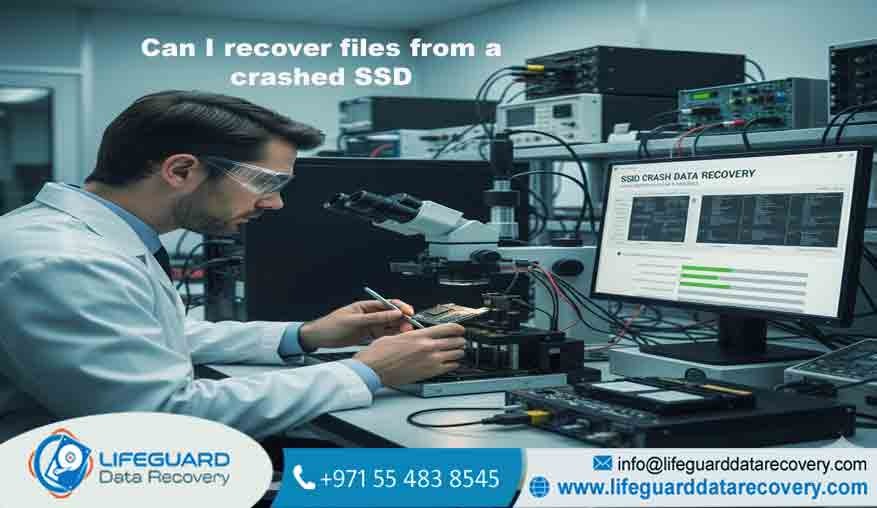
Can I Recover Files from a Crashed SSD Expert SSD Data Recovery Services Losing access to critical files due to a solid-state drive failure can be a devastating experience. Whether it is a business-critical database
years of irreplaceable family photographs, or sensitive financial records, the sudden “No Bootable Device” error or a drive that simply won’t appear in your system creates an immediate sense of urgency.
At Lifeguard Data Recovery, we specialize in the complex science of SSD data retrieval. Our certified engineers utilize advanced laboratory equipment and ISO-certified cleanroom environments to recover data that software-based solutions simply cannot reach.
If your drive has crashed, do not take chances with DIY fixes that could lead to permanent data loss; trust the leading experts in the UAE to bring your digital life back to safety.
Why Choose Lifeguard Data Recovery for Your SSD Needs
Choosing a data recovery provider in the UAE requires a balance of technical expertise and proven trust. At Lifeguard Data Recovery, we have spent decades refining our processes to become the most reliable name in the industry.
Unlike standard IT repair shops that rely on basic software, we operate a dedicated laboratory equipped with hardware-level tools. This allows our engineers to communicate directly with the SSD’s microcode, bypassing failed controllers and corrupted firmware that render drives “dead” to a normal computer.
Our local presence in Dubai and Abu Dhabi ensures that your sensitive hardware never leaves the country, maintaining a strict chain of custody and faster turnaround times. We understand that data loss is often accompanied by high stress and financial risk, which is why we provide a transparent, step-by-step approach.
Our Data Recovery Services
At Lifeguard Data Recovery, we recognize that storage technology is diverse and failures can happen on any platform.
Hard Drive and SSD Data Recovery
Whether you are dealing with a standard SATA SSD, a high-speed NVMe drive, or an older mechanical HDD, we provide expert retrieval services.
By addressing electrical failures, controller malfunctions, and NAND wear-out, we ensure that even the most unrecoverable drives have a chance at successful restoration. We support all major brands and interfaces, including M.2, PCIe, and proprietary Apple SSDs.
Video and Multimedia File Recovery
For media professionals in Dubai’s thriving film and photography industry, losing footage can mean missed deadlines and legal liabilities. We offer specialized recovery for corrupted, deleted, or formatted files from professional cameras, drones, and high-capacity storage arrays.
Our techniques can reconstruct fragmented video headers and repair unplayable files to their original quality, ensuring that your creative work is not lost to a technical glitch.
Mobile and Tablet Data Recovery
Smartphones often hold our most irreplaceable memories. We provide professional data recovery for iPhones and Android devices, even if they have suffered from liquid damage, physical crushing, or motherboard failure.
Our chip-off techniques allow us to extract data directly from the device’s internal flash memory when the phone will no longer power on, reaching data that standard backups might have missed.
RAID and Server Recovery
For UAE businesses, server downtime is a financial disaster. We specialize in complex RAID configurations (RAID 0, 1, 5, 10, etc.) and NAS/SAN server recovery. Our team is available for emergency
24/7 services to minimize your business downtime and restore your database or file server as quickly as possible. We handle everything from controller failure to multiple drive synchronization issues.
Issues We Fix Solving Complex Data Loss Scenarios
Data loss is rarely simple, and the reasons behind a crashed SSD can range from human error to catastrophic hardware failure. Lifeguard Data Recovery is equipped to handle every scenario safely and effectively.
Accidental Deletion and Formatting
It only takes a second to click the wrong button. If you have accidentally formatted your drive or deleted a critical folder, the SSD’s internal housekeeping commands may begin erasing that data immediately.
It is vital to power down the device instantly. We use specialized tools to “freeze” the drive’s state and recover files from corrupted SSD partitions before background processes make them unrecoverable.
SSD Controller Failure and Firmware Issues
If your computer displays a message like “Disk Boot Failure” or the drive simply does not appear, you likely have an SSD controller failure. The controller is the “brain” of the drive; when it fails, the data on the NAND chips remains but is inaccessible.
We use “factory mode” access to bypass the failed controller and read the raw data directly from the memory chips. This is common in cases where a drive is “not detected” but still receives power.
Physical Damage and Environmental Factors
The UAE’s climate can be harsh on electronics. High temperatures and humidity can lead to component degradation, while power surges can fry the delicate circuitry of an external SSD. We also frequently handle drives that have been dropped, crushed, or subjected to liquid spills.
Our Class 5 cleanroom allows us to safely open and repair these drives without the risk of dust contamination, protecting the exposed silicon from further harm.
Why We Are the Choice (Unique Value)
Lifeguard Data Recovery stands out as the best SSD recovery lab in UAE because of our investment in people and technology. We don’t just use off-the-shelf tools; we innovate. Our lab features the latest in hardware
emulation tools, allowing us to replicate the environment of a working drive even when the original hardware is destroyed.
Our success rate is a direct result of our focused expertise. We handle thousands of cases every year, giving our engineers a library of experience that covers almost every conceivable failure mode. Combined with
our strict data privacy standards and our commitment to a same-day diagnosis for urgent cases, we provide a level of service that is unmatched in the region. We are more than just a repair shop; we are your data’s last line of defense.
(FAQ)
Q: Can I recover files from a crashed SSD if it doesn’t show up in the BIOS?
A: Yes. When a drive is not detected, it is usually a failure of the controller or the electrical circuitry. Our lab equipment can bypass the standard interface and talk directly to the storage chips to extract your data.
Q: How long does the recovery process usually take?
A: A standard diagnosis takes about 24 to 48 hours. The actual recovery time depends on the drive’s health, but most cases are completed within 3 to 5 business days.
Q: Is my data kept confidential?
A: Absolutely. We follow international data security standards. Your data is recovered in a secure lab and returned to you on an encrypted device if requested. We do not keep copies of your data once you have confirmed the recovery.
Q: What types of SSDs do you support?
A: We support all types, including SATA, NVMe, M.2, mSATA, and even the custom SSDs found in modern MacBooks and high-end workstations.
Q: Can you recover data from a water-damaged SSD?
A: Yes, though you must not try to power it on. We use ultrasonic cleaning and specialized drying processes to stabilize the circuitry before attempting data extraction.
Q: Do you offer emergency services for businesses?
A: Yes, we provide 24/7 emergency support for critical data loss situations where every hour of downtime counts.
Q: What is the success rate for SSD recovery?
A: For drives that haven’t been physically tampered with after the crash, our success rate is consistently high, often exceeding 95% for logical and firmware issues.
Q: Does your service void my device’s warranty?
A: We are authorized by many manufacturers to perform data recovery without voiding the warranty. We can provide a report for your manufacturer to prove the work was done in a certified lab.
Q: What happens if you can’t recover the data?
A: We operate on a “No Data, No Fee” basis. If we cannot retrieve your important files, you are not responsible for the recovery service charge.
Q: How do I get my device to you from Abu Dhabi or Sharjah?
A: We offer a secure courier pickup service throughout the UAE. Simply contact us, and we will arrange for a driver to collect your device and bring it safely to our lab.
Contact Lifeguard Data Recovery Today
Don’t let a crashed SSD be the end of your important files. Contact Lifeguard Data Recovery today for a professional, secure, and fast solution. We are the trusted choice for data recovery in the UAE, providing the expertise you need to get back on track. Whether you are in Dubai, Abu Dhabi, Sharjah, Ajman, Ras Al Khaimah, or Fujairah, our team is ready to assist you.